How to See a Haircut on Your Face Before the Barber (Free)
Oleh Onysko Updated 17 October 2026 13 min read
In this article
The quickest free way to see a haircut on your face before the barber is to upload a front-facing selfie to a free AI editor: Krea's hairstyle changer needs no account, Google Gemini is free with a Google account, and HairstyleAtlas gives you one named cut on your own photo with no card. Then do the part no app does for you: check the sides and back, because that is where most barber mistakes happen. Most "free" haircut apps in the App Store are weekly subscriptions with a free download, so read the price list before you upload.
We checked every free tier and price below on the vendor's site or app store listing on October 9, 2026. HairstyleAtlas is our product; we include it because it does this exact job, and we name the free tools that beat it on price. If you want a full ranking of paid and free apps, see our best AI hairstyle apps list, or the shortlists of hairstyle apps for men and for women.
Free ways to preview a haircut, compared
| Method | Cost | Account needed | What you see | The catch |
|---|---|---|---|---|
| Krea AI hairstyle changer | Free | Page says no sign-up | Your photo, edited from a text prompt | No catalog, and your face can drift |
| Google Gemini | Free with limits | Google account, 18+ to edit images | Your photo, edited from a text prompt | Visible watermark, limits not published |
| ChatGPT (free tier) | Free with limits | Yes | Your photo, edited from a text prompt | OpenAI does not publish the free image limits |
| HairstyleAtlas | One cut plus one color free | Free account, no card | A named cut from 60+ men's cuts and fades on your photo | One free look, then paid |
| BeautyPlus web hairstyle tool | Vendor says free | Vendor says no registration | Preset styles on your photo | A general beauty editor, not a barber tool |
| Snapchat lenses | Free | Snapchat account | A live AR overlay | Looks like a filter, not a haircut |
| Hairstyle Try On (KBMSoft, iPhone) | 33 free styles | No | Overlays on a photo | Pasted-on look, more styles cost $0.99 and up |
| Your barber's portfolio | Free | Booking app account | Real cuts by the person cutting yours | Not on your face |
Want to see it first? Try a new hairstyle on your own photo.
Why a front selfie is not enough
A front-facing preview shows you the top and the fringe. It barely shows the sides, and it never shows the back. But the sides and back are where a haircut goes wrong: the fade starts higher than you wanted, the neckline gets squared off, the sides go to skin when you asked for a taper. You cannot see any of that in a selfie, and you will not notice it until you are home.
So preview in two parts. Use an app to decide the overall cut and the length on top. Then decide the sides and back separately, with names, and say them out loud in the chair.

For the app part, the photo decides the result. Stand facing daylight, hold the phone at eye level and at arm's length, and push your hair off your forehead so your hairline shows. A selfie from below widens your jaw and squashes the top of your head, which is exactly the part the app needs to rebuild.
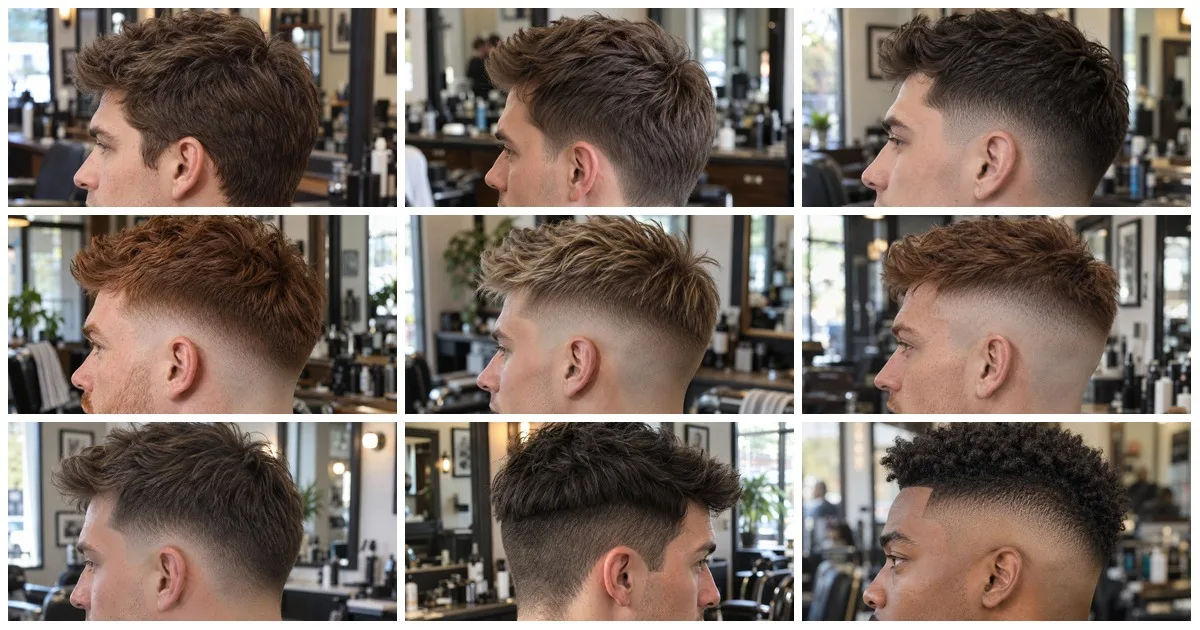
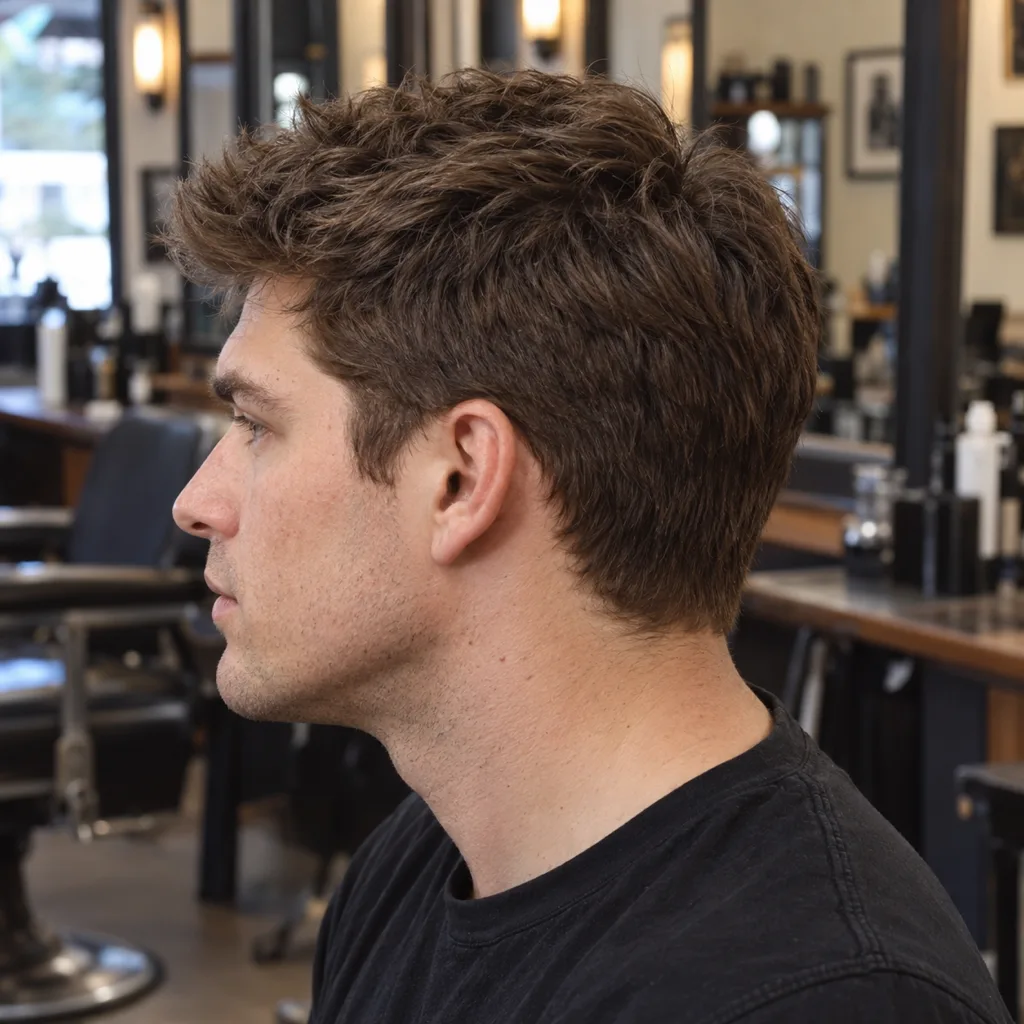
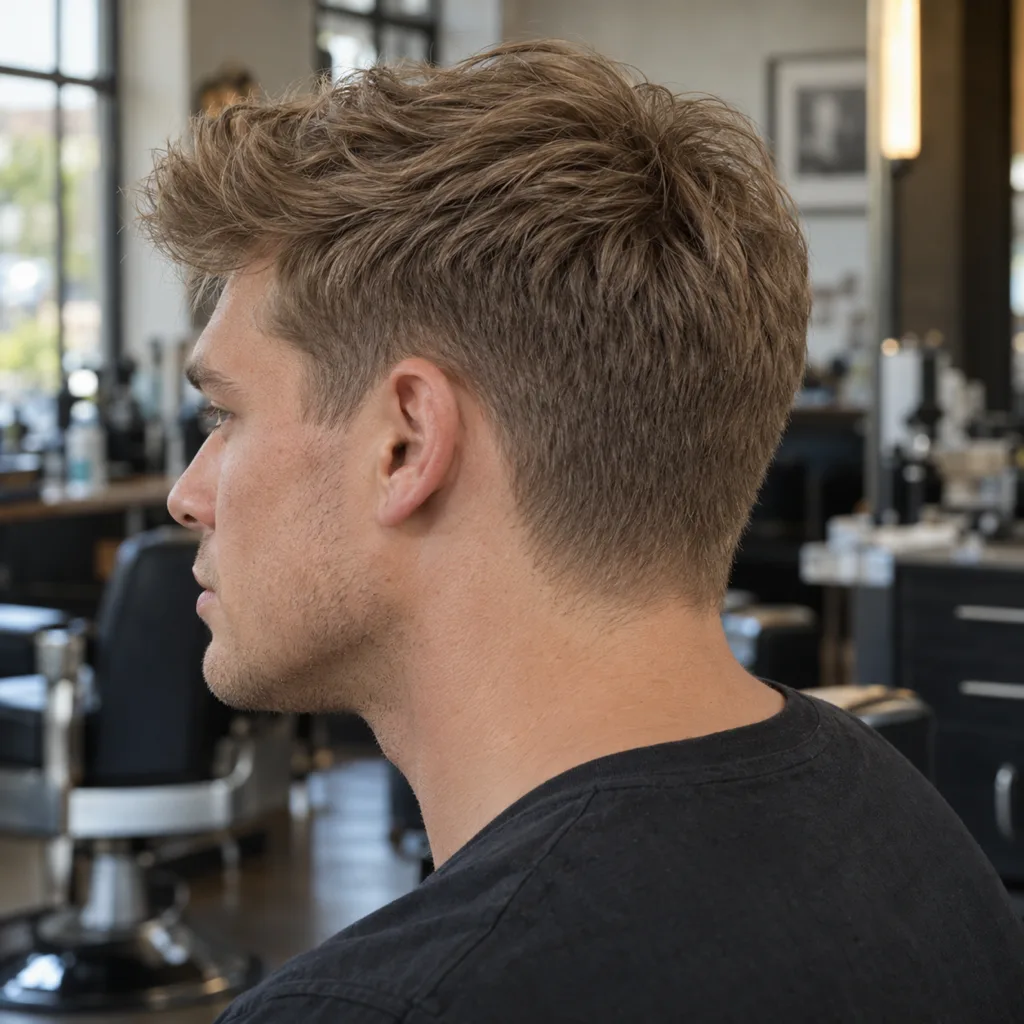
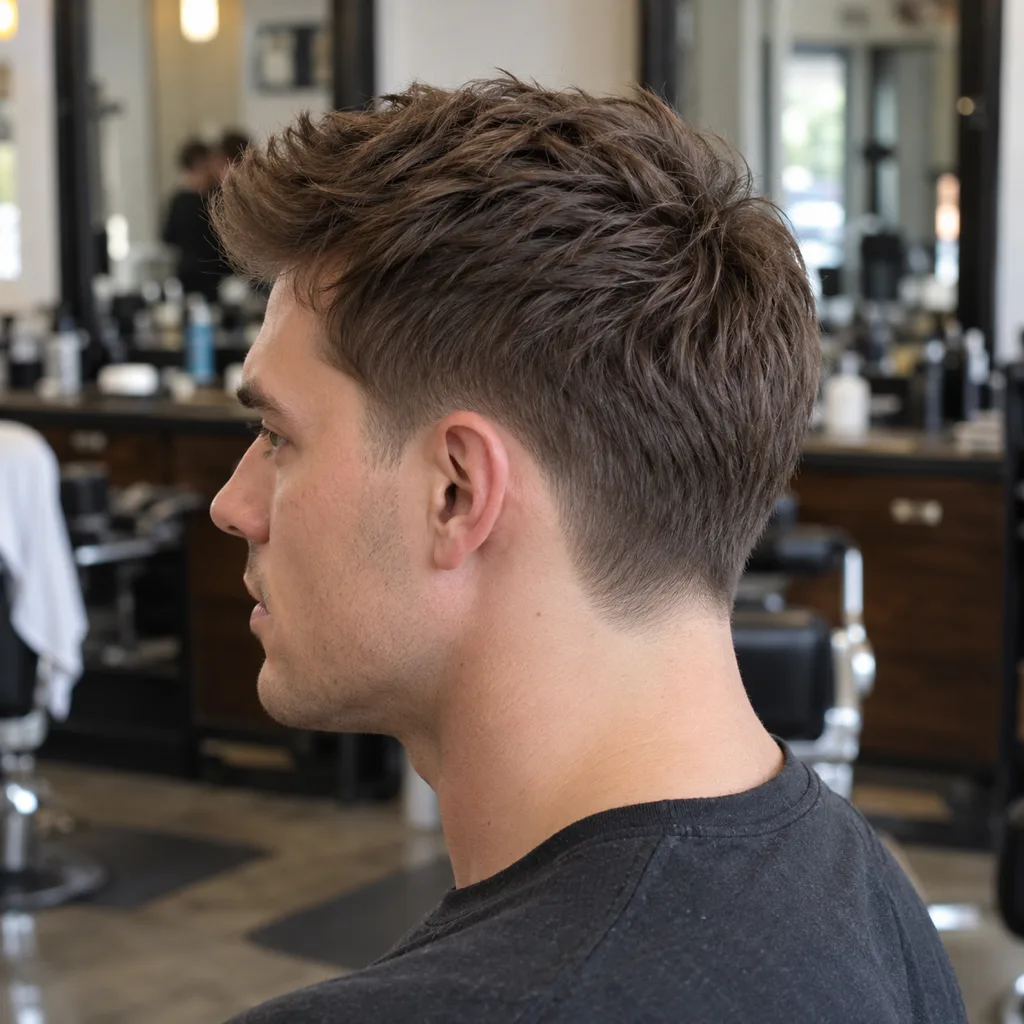
14 ways a barber can cut the sides
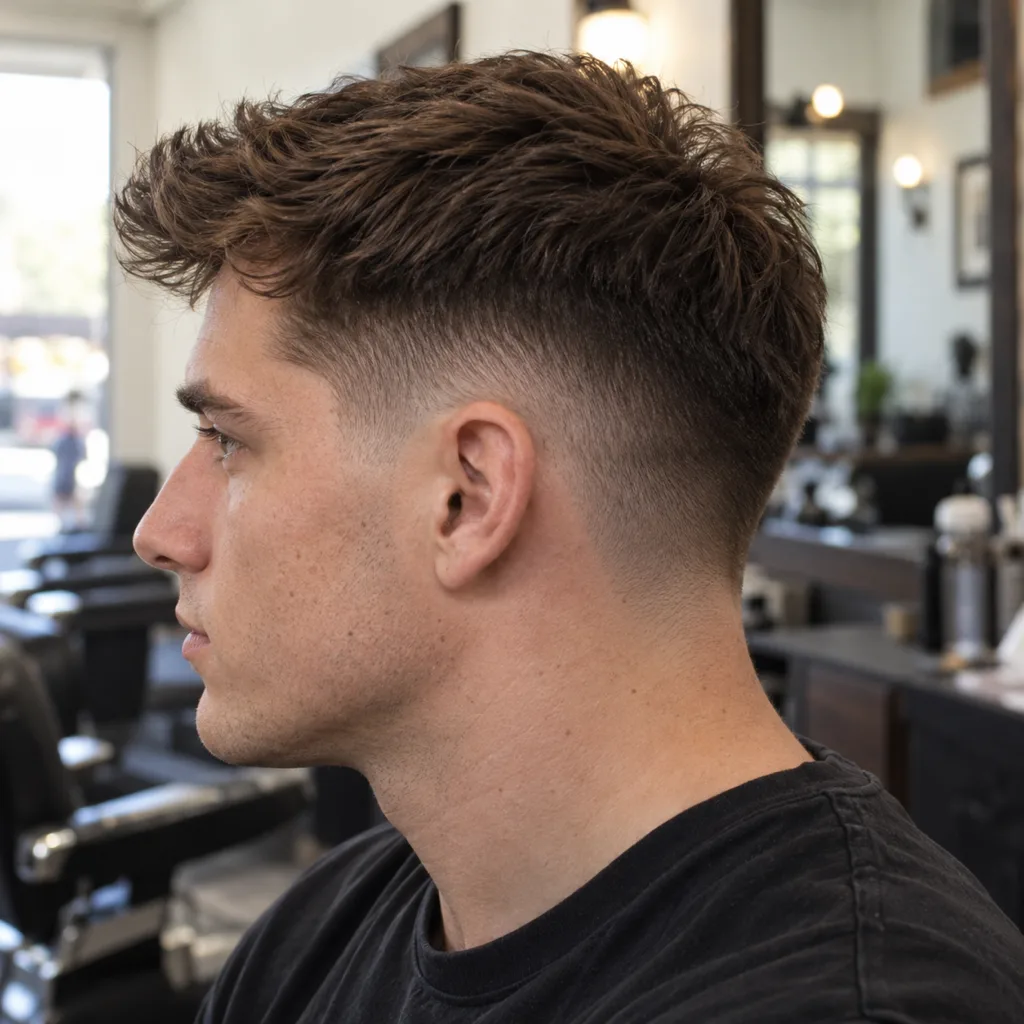
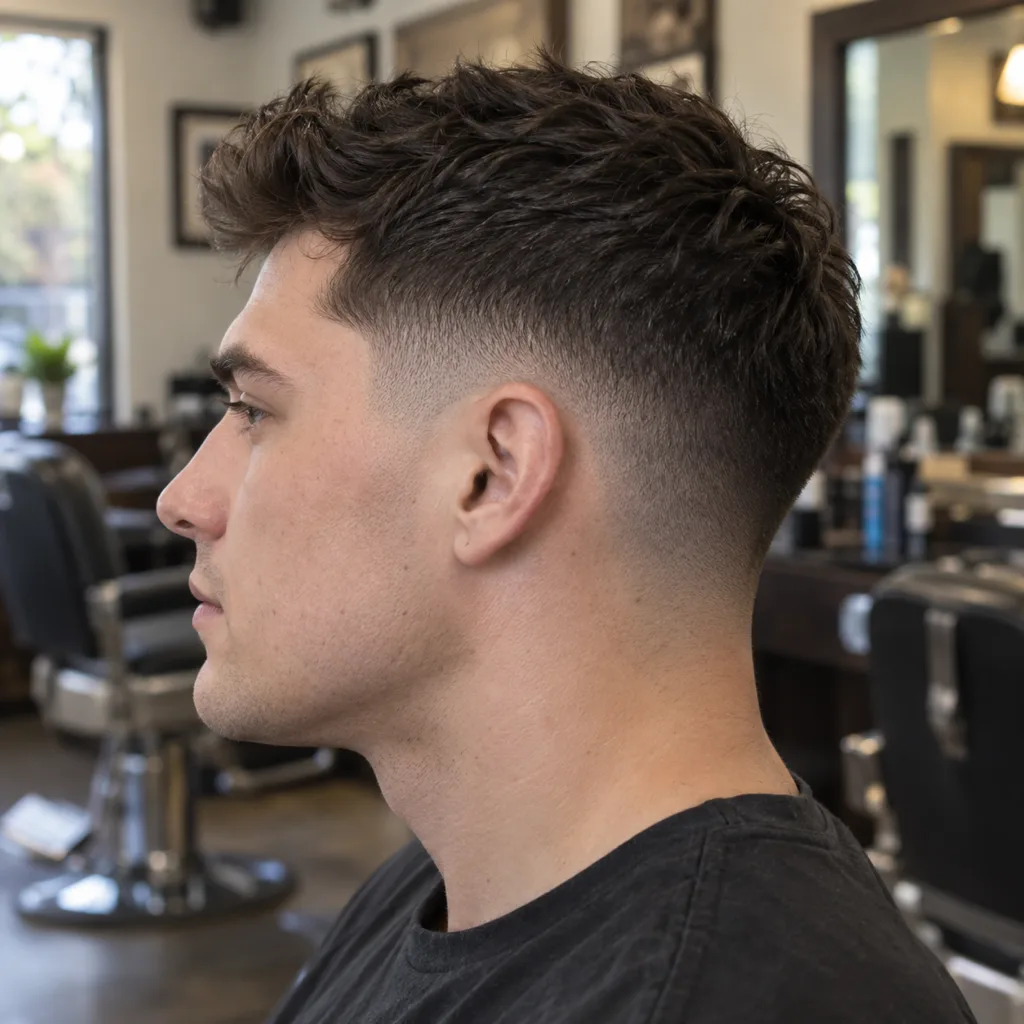
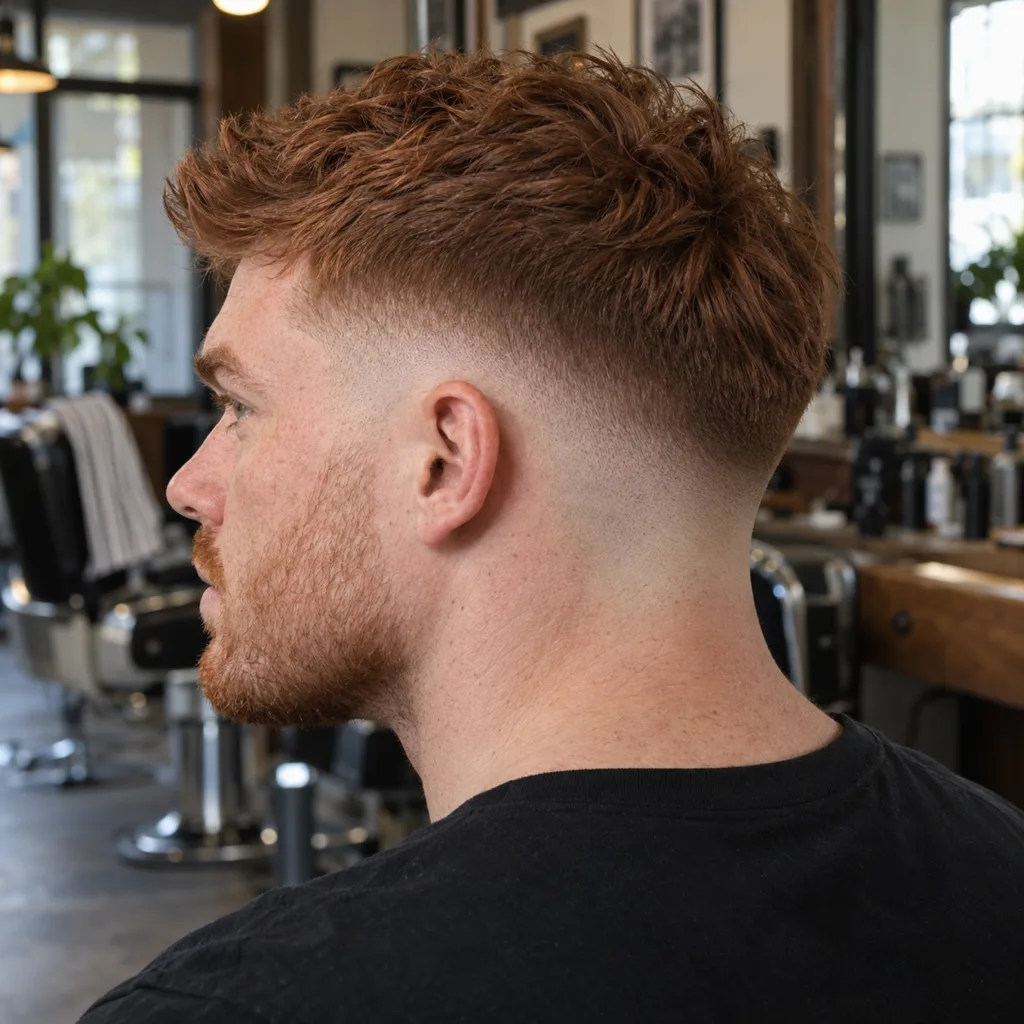
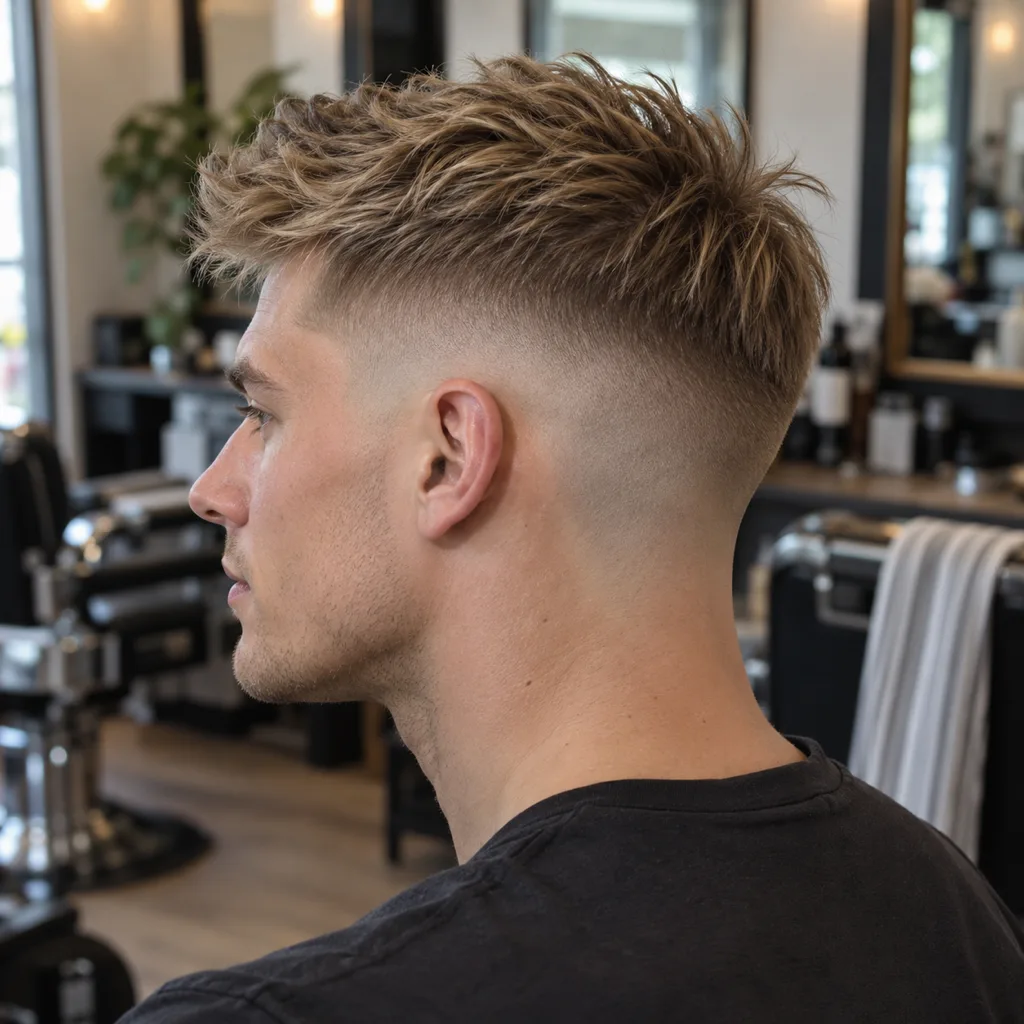
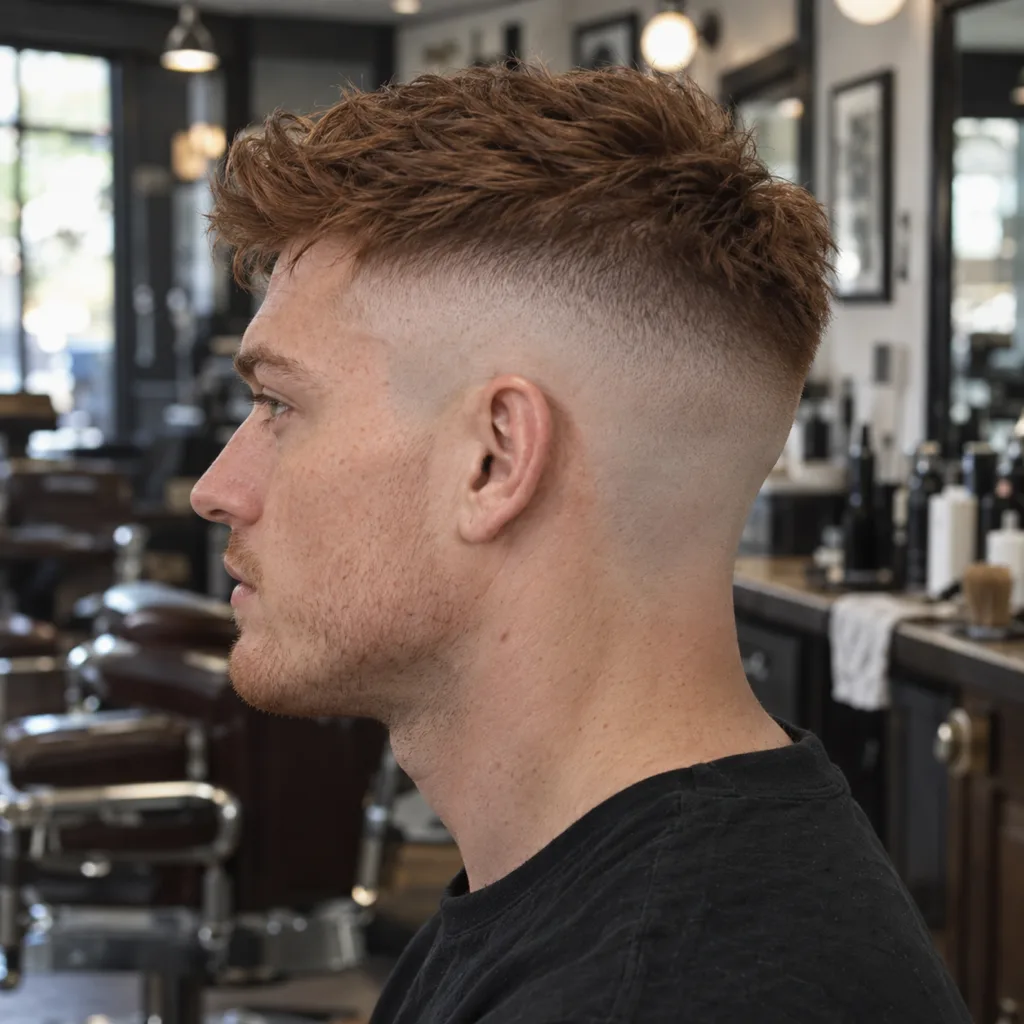
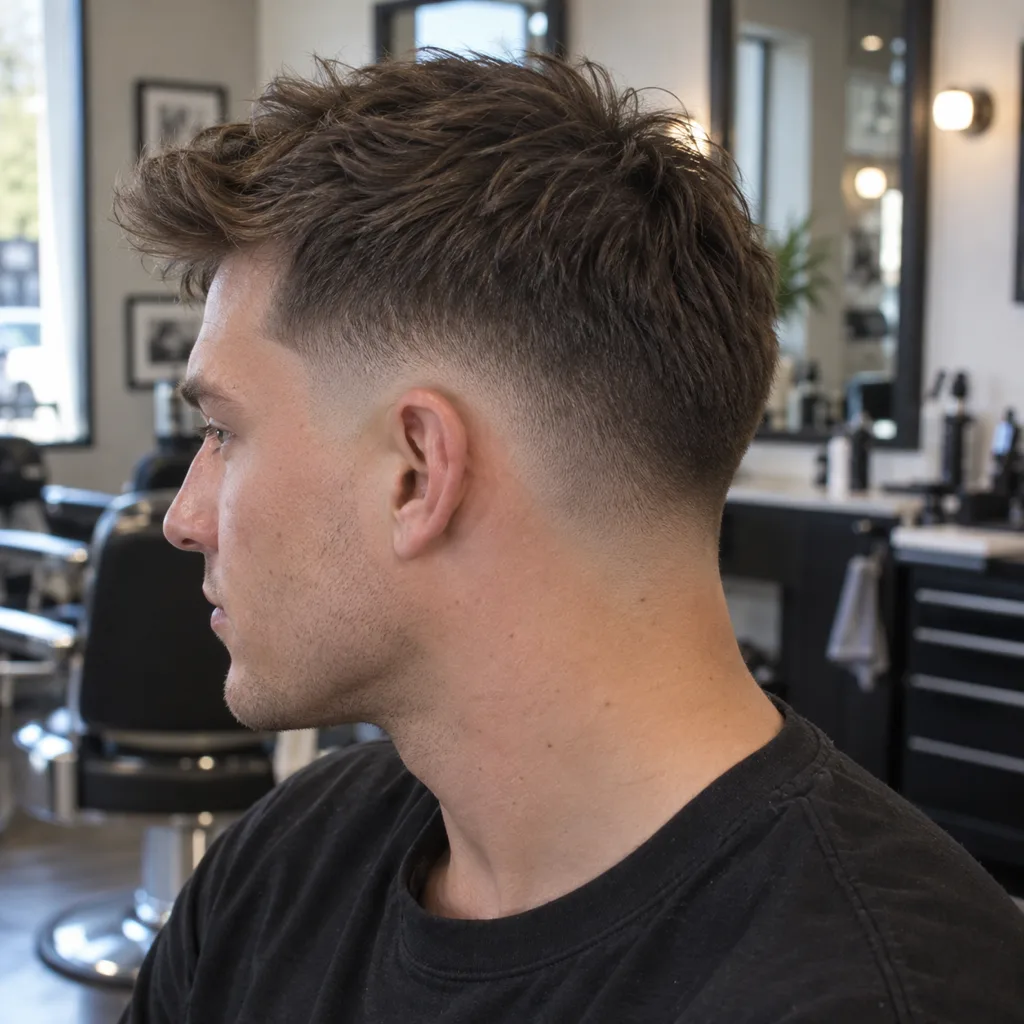
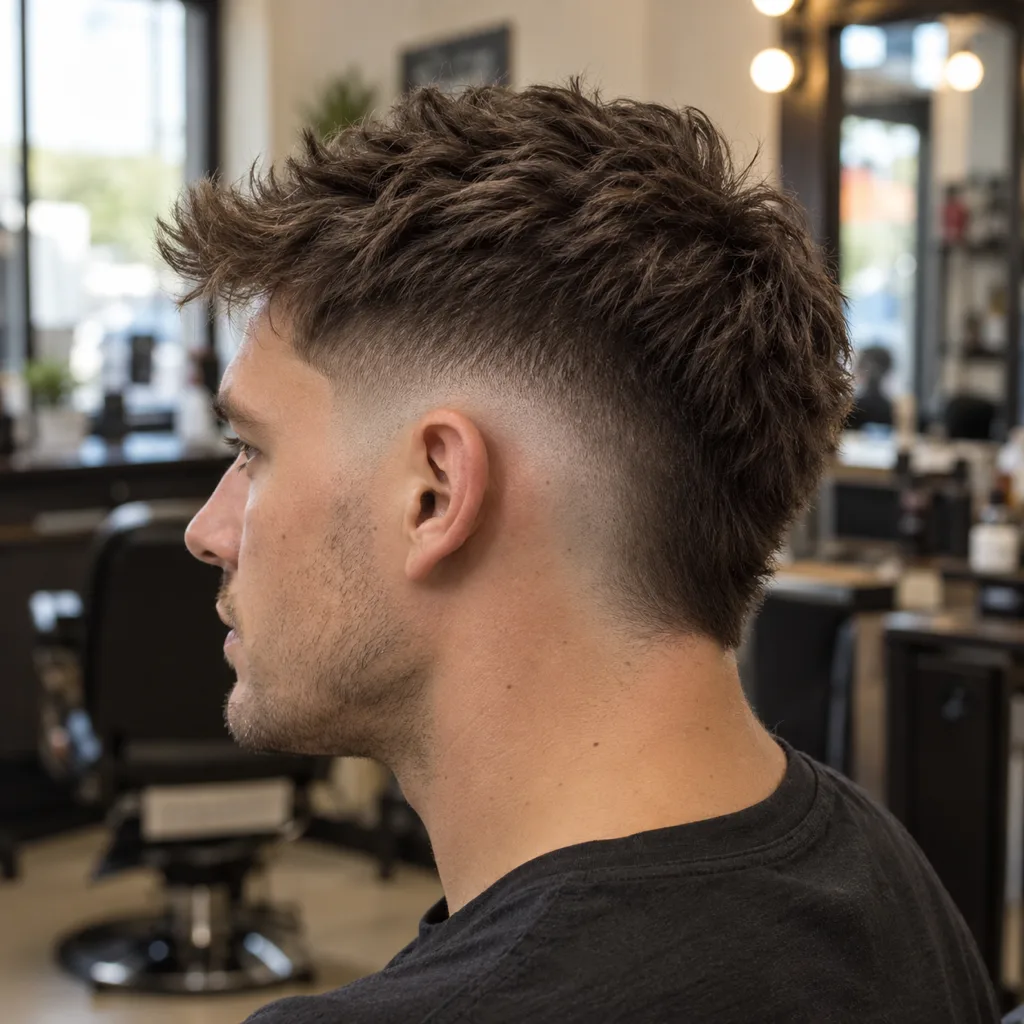
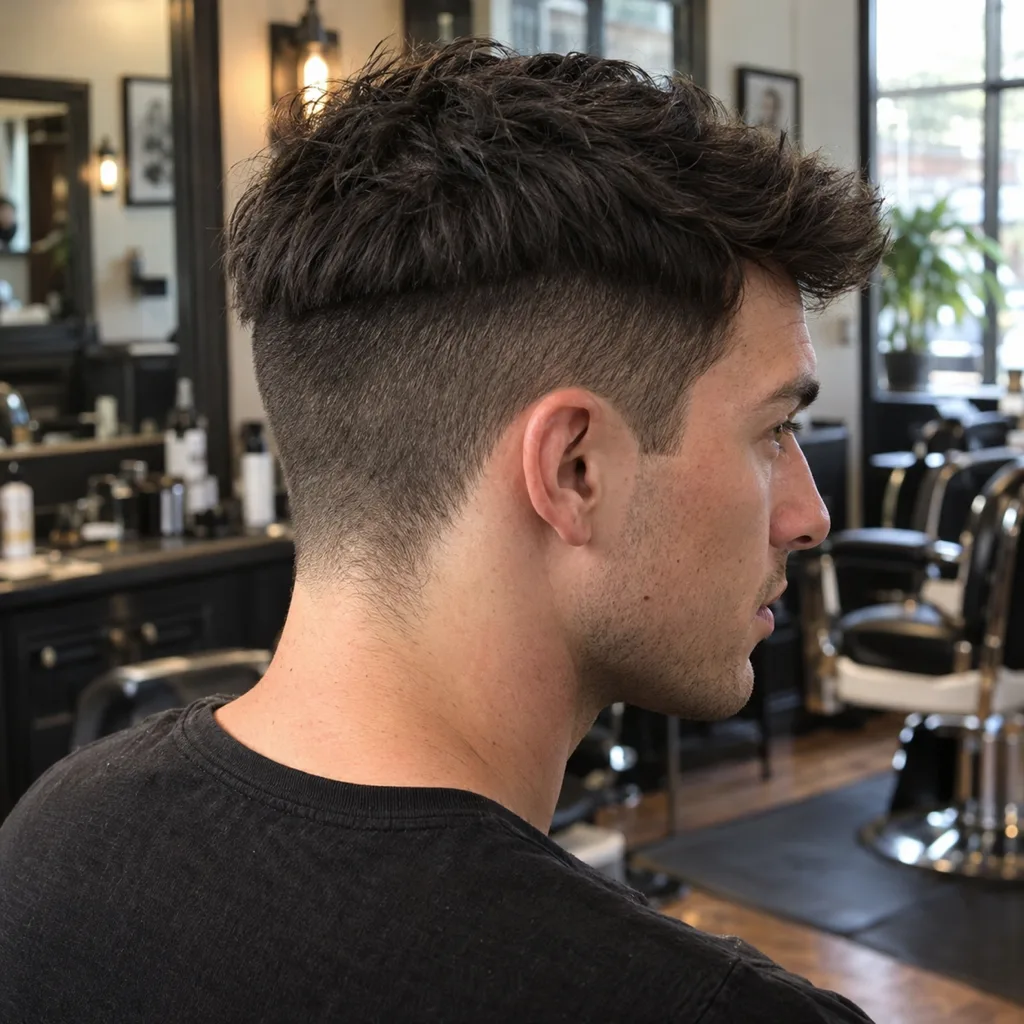
These photos keep the top the same, about 3 inches of textured hair pushed forward, and change only the sides and back. This is the decision a front selfie hides and the one you most need words for. Find the one you want, then say its name.
Gallery14 photos · tap to enlarge
 Try this on me
 Try this on me
 Try this on me
 Try this on me
 Try this on me
 Try this on me
 Try this on me
 Try this on me
 Try this on me
 Try this on me
 Try this on me
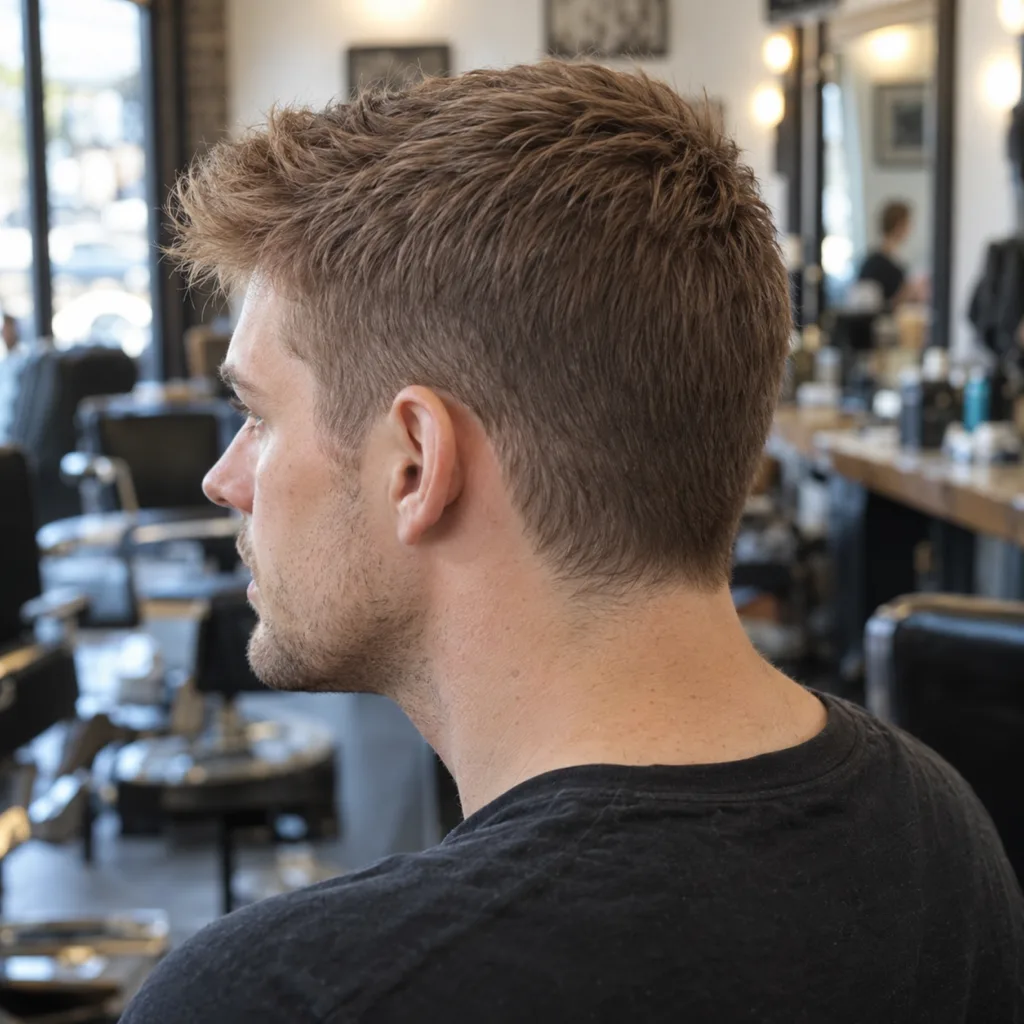 Try this on me
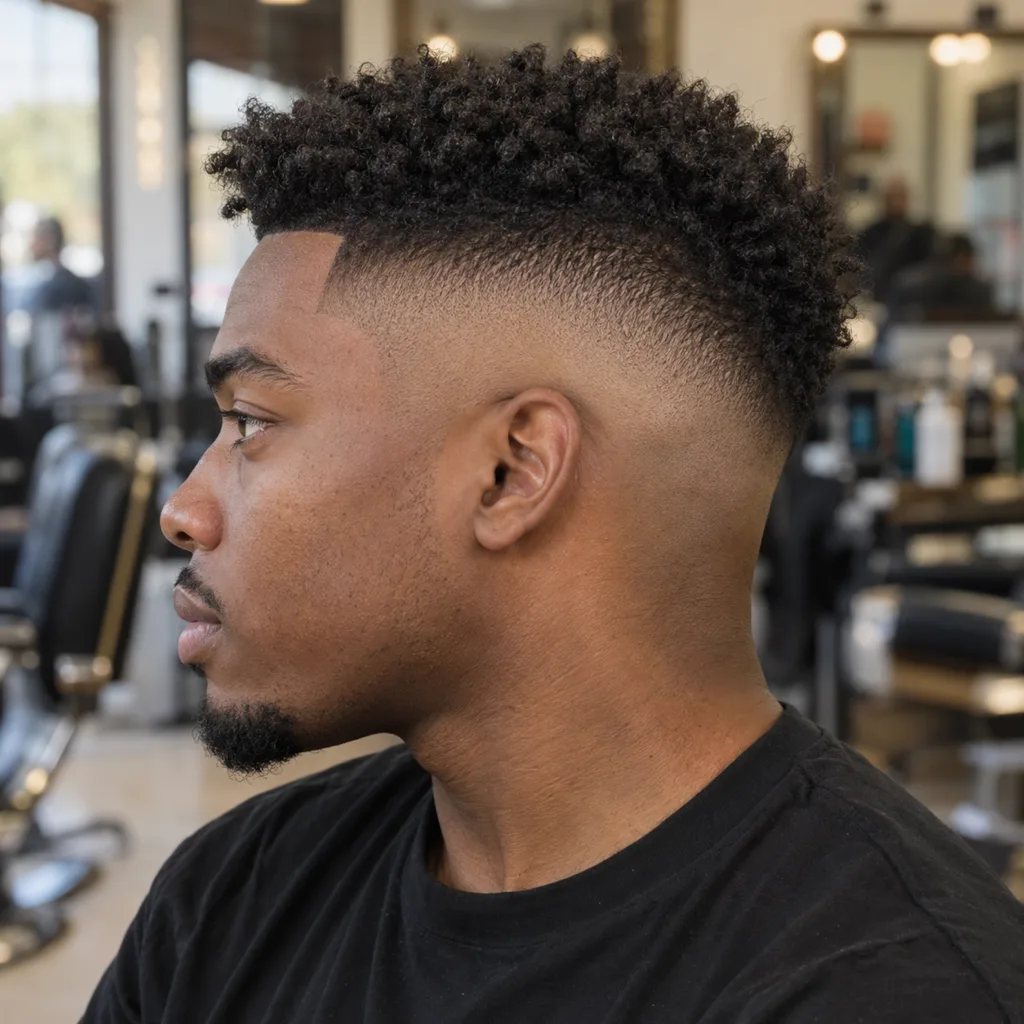 Try this on me
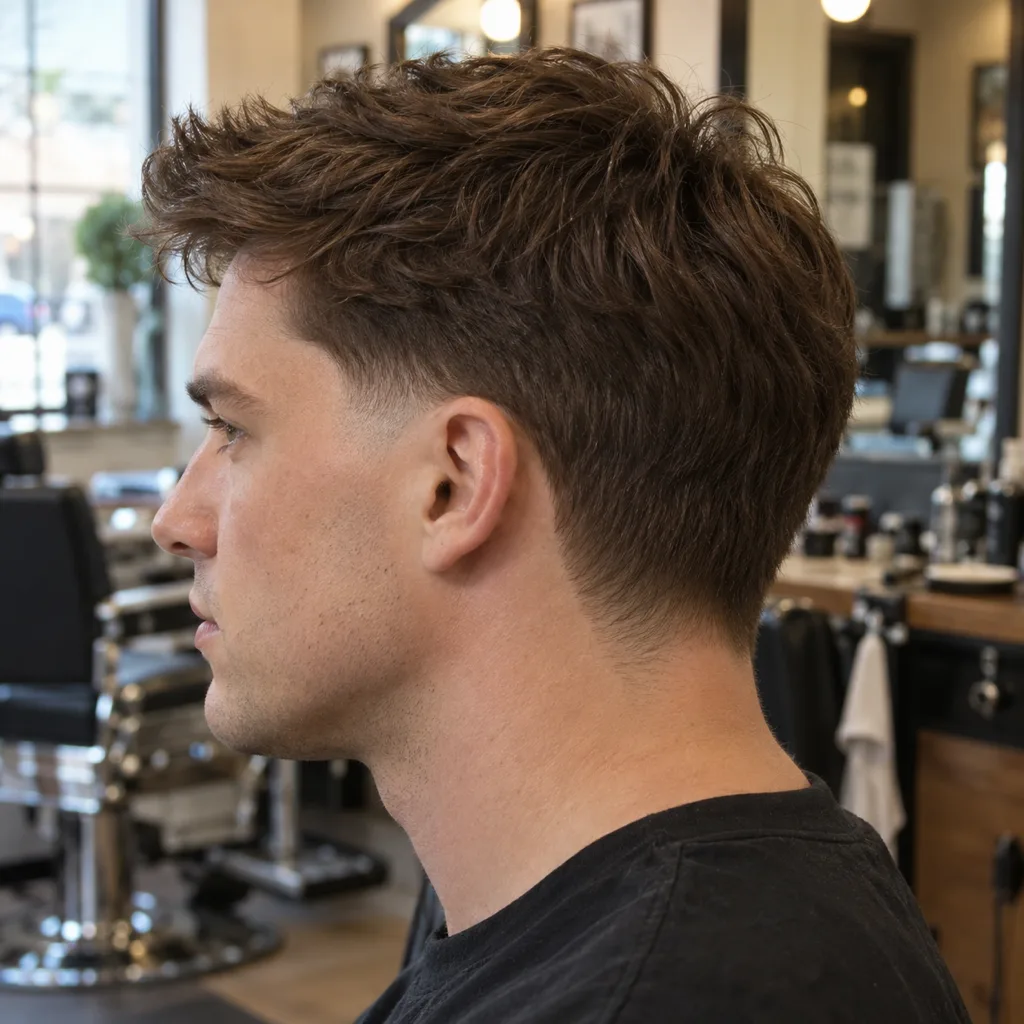 Try this on me
Two rules cover most of these. A taper keeps some hair everywhere; a fade goes to skin. And the height is measured from the ear: low starts just above it, mid at the temple, high at the corner of the head. Our fade haircut guide and taper haircut guide go deeper.
Yours could be here.
Start with one selfie.
One photo, twenty seconds, and you'll know. Free account, no card for your first render.
The free apps, and what free really means
Krea: free, no account
Krea runs a dedicated AI hairstyle changer on the web, and its page says you can try hairstyles without signing up or entering payment details. Upload a selfie, write the cut, get an edited photo. It has no hair catalog, so the result depends on your wording, and like any general image model it can quietly reshape your face.
Google Gemini: free with a Google account
Gemini's image editor will restyle a selfie from a sentence, and Google's own Gemini image help page lists trying different hairstyles as a use case. You must be 18 or older to edit images. Free images carry a visible watermark and Google does not publish the free limits. Write the cut the way a barber would: "low taper fade, 3 inches of textured hair on top pushed forward, same face, same lighting".
ChatGPT: free tier, unpublished limits
ChatGPT's free tier can take a photo upload and create images, but OpenAI does not publish how many. It is also good at the step before the picture: describe your hair and face and ask for three cuts to consider.
HairstyleAtlas: one named cut free
HairstyleAtlas puts a specific cut from its catalog on your photo, so you pick "mid taper" rather than describing it and hoping. You can try every look on sample faces without an account. Your own photo needs a free account, no card, and covers one cut plus one color on it. After that, Plus is $9.99 a week and Pro, which adds side and back views, is $24 a month. The fade haircut simulator compares fade heights on your own head.
BeautyPlus, Snapchat and the cheap overlay apps
BeautyPlus says its web hairstyle tool is free with no registration. Snapchat has free haircut lenses, including one from Snapchat itself, but they are AR overlays that sit on top of your hair. KBMSoft's Hairstyle Try On for iPhone includes 33 free styles and sells packs from $0.99. All three are fine for a laugh and weak for a real decision, because they paste a shape on rather than cutting your hair.
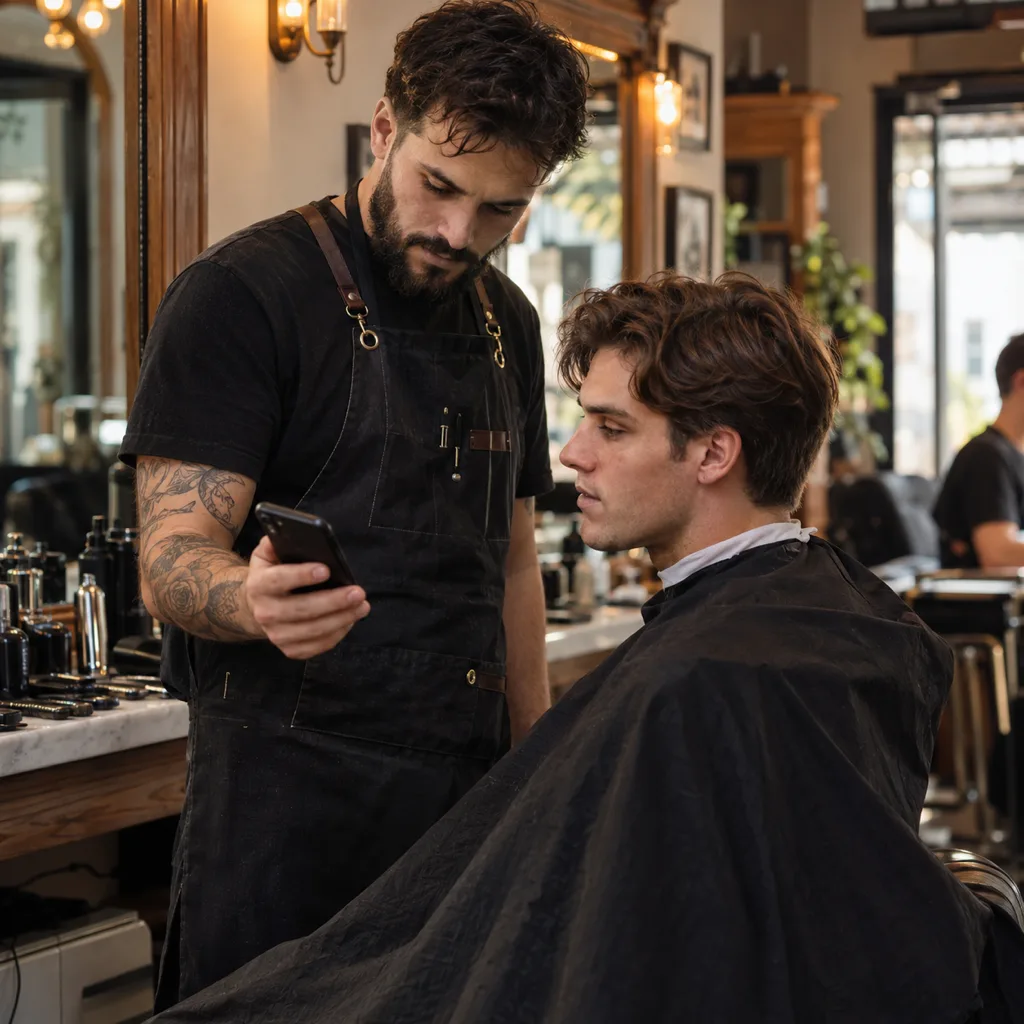
"Free" haircut apps that are really subscriptions
Search the App Store or Google Play for a haircut preview app and most top results are free to download and paid to use. These are the prices on their own listings:
| App | Store | Rating | Listed prices |
|---|---|---|---|
| Glowify, AI Hairstyle Try On | App Store | 4.7 (12K) | $9.99/week, $16.99/mo, $39.99/yr |
| Haircut Simulator (Hbrothers) | App Store | 4.5 (3.5K) | Weekly $7.99 to $19.99, yearly $24.99 to $49.99 |
| Hair AI: Hairstyle Filter, Cut | App Store | 4.4 (5.6K) | Weekly $9.99 to $29.99, yearly $49.99 to $69.99 |
| Glancely, Hairstyle Try On AI | App Store | 4.6 (139) | Yearly $49.99 or $69.99, other purchases $4.99 to $29.99 |
| HairApp: AI Hairstyle Try On | Google Play | 4.2 (52K) | In-app purchases $7.99 to $39.99 |
| CutMax: AI Haircut Try On | Google Play | 4.4 (8.3K) | In-app purchases $1.89 to $12.99 |
None of these is bad for being paid. The problem is a weekly plan you forget to cancel. If you only need one preview before one haircut, the free web tools above do it without a subscription.
Free ways that need no app at all
Not every preview needs AI. These cost nothing and cover what apps miss.
- Look at your barber's own work. Booking apps like Booksy and theCut show barber portfolios. A barber whose photos are full of skin fades will cut a great skin fade. Pick the barber from the cut, not the other way round.
- Bring three reference photos, not one. Front, side and back of the same cut. One front shot hides the neckline and the fade height.
- Press damp hair flat against the sides. Our own trick: wet your hands, press the sides of your hair flat to your head in the mirror, and you get a rough idea of what short sides do to your face shape. It shows proportion, not the cut.
- Fake the bangs first. Clip-in bangs or a ponytail flipped forward over your forehead show how a fringe sits on your face before anyone cuts one.
- Name the cut before you go. If you have a screenshot but not the name, our haircut identifier names a cut from its length, sides, top and fringe, free and with no sign-up.

How to preview a haircut before the barber for free
- Take the right selfie
Face a window, phone at eye level and arm's length, hair pushed off your forehead, no hat.
- Run one free preview
Use Krea, Gemini or the free look on HairstyleAtlas. Ask for a named cut and length, not "something shorter".
- Check the face, not the hair
Put the result next to your original photo. If your jaw, eyes or hairline moved, throw the result away and try again.
- Choose the sides separately
Pick the side treatment from the gallery above and learn its name: taper or fade, and low, mid or high.
- Save front and side
Save the preview at full size, plus a side reference photo of the fade you picked.
- Say it in the chair
Show the pictures before the cape goes on and say the cut, the length on top and the fade height out loud.
Say this to your barber
Textured crop, about 3 inches on top pushed forward, mid taper on the sides, not to skin, natural neckline.
Mistakes that cost you three weeks
- Previewing only the front. You approve the top, then the barber decides the sides. Always name the fade height.
- Trusting a result that changed your face. A slimmer jaw makes every cut look good. You will not have that jaw in the chair.
- Asking for a cut your hair cannot hold. A preview can put a quiff on fine, flat hair. Ask the barber whether your density will hold it before they start.
- Paying weekly for one decision. A $9.99 weekly plan for one preview is the most expensive free app you will ever install.
- Showing a celebrity, not yourself. A photo of someone else with different hair and a different head shape shows the barber what you want, not what it will look like on you. Our guide to bad haircuts is full of exactly this.
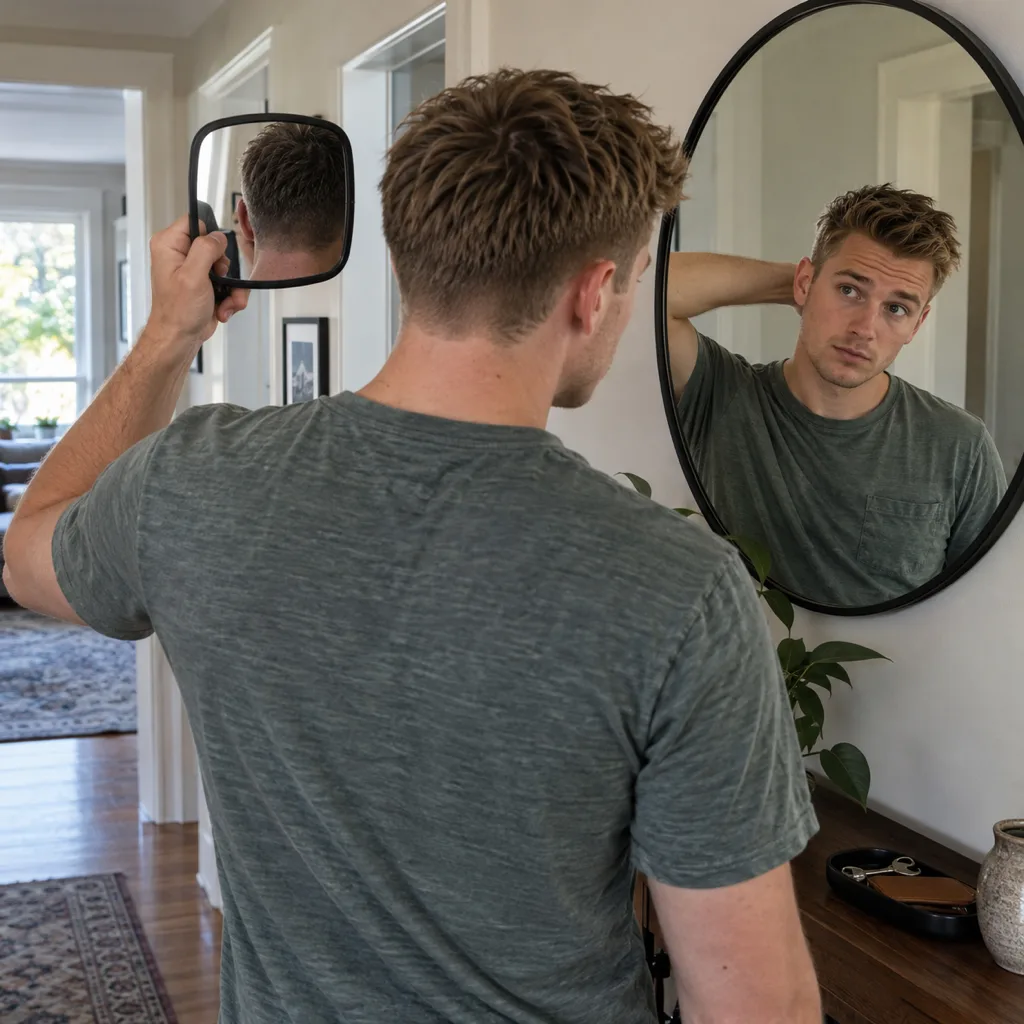
Before you pay, check the back with a hand mirror. If the neckline or the fade height is not what you asked for, say so while you are still in the chair. A fix takes two minutes now and three weeks later.
The short version
For one free preview, use Krea if you want no account at all, or Gemini if you already have a Google account, and always check that your face did not change. For a specific named cut on your own photo, HairstyleAtlas gives one free. Then do the part no app does: pick the sides and back by name, bring a side photo, and check the back in a mirror before you pay. If you have not decided on a cut yet, the what haircut suits me quiz gives you a shortlist first.
Frequently asked questions
Yes. Krea's AI hairstyle changer is free and its page says no sign-up is needed. Google Gemini edits a selfie for free with a Google account if you are 18 or older. HairstyleAtlas gives one named cut plus one color on your own photo free, with no card.
Upload a front-facing selfie in daylight to a hairstyle try-on tool and ask for a specific cut and length. Then choose the sides and back separately with a reference photo, because a front preview does not show them.
Run one free preview of the overall cut, save it, and add a side photo of the fade or taper you want. Show both before the cape goes on and say the cut name, the length on top and the fade height.
Yes. Both edit an uploaded selfie from a written request on their free tiers, within limits they do not publish. Neither has a haircut catalog, so describe length, sides and part precisely and check that your face did not change.
FaceApp is free to download with some free filters. FaceApp Pro unlocks the full filter set and removes watermarks, and the US App Store lists Pro purchases at $10 to $100.
A photo-based try-on that keeps your face unchanged is the most accurate app option, and a front plus side view beats a front view alone. Live AR lenses are less accurate because they lay a shape over your existing hair.
Show a front view of the cut on you, plus a side photo of the exact fade or taper you want. Pick reference photos with hair texture like yours, so the barber is not copying a cut your hair cannot hold.
Yes. Try them in an app on a photo with your hair pulled off your forehead, or fake them for free with clip-in bangs or a ponytail flipped forward over your forehead.
Preview it on your own photo: Men's Hairstyle Try-On.
Share article
About the author

Related posts
Men's Haircuts · 15 min
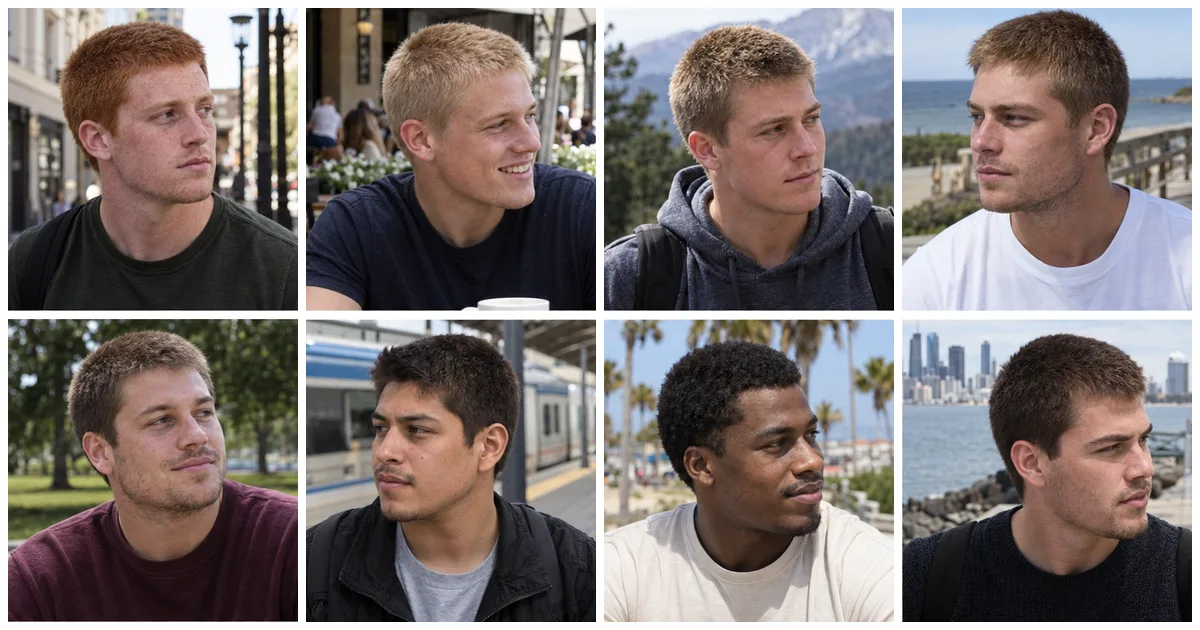
8th Guard Buzz Cut: How 1 Inch Looks on 14 Hair Types
An 8th guard buzz cut leaves one even inch of hair all over, the longest buzz a clipper set gives you. See it on 14 hair types, which faces and textures suit it, how to add a taper, and the exact words for your barber.
Men's Haircuts · 15 min
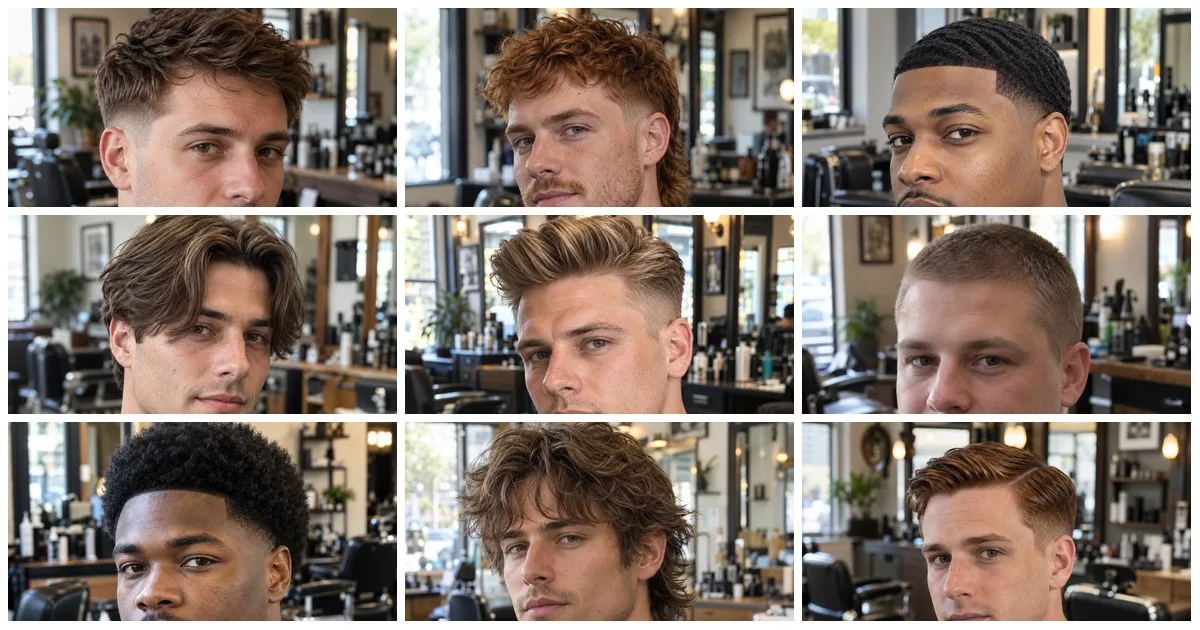
Best Hairstyle Apps for Men 2026: 10 Apps, Real Prices
The best hairstyle app for men edits your own photo and knows a low taper from a mid fade. Ten apps compared with prices and free tiers checked October 2026, plus 14 men's cuts worth testing first.
Men's Haircuts · 13 min
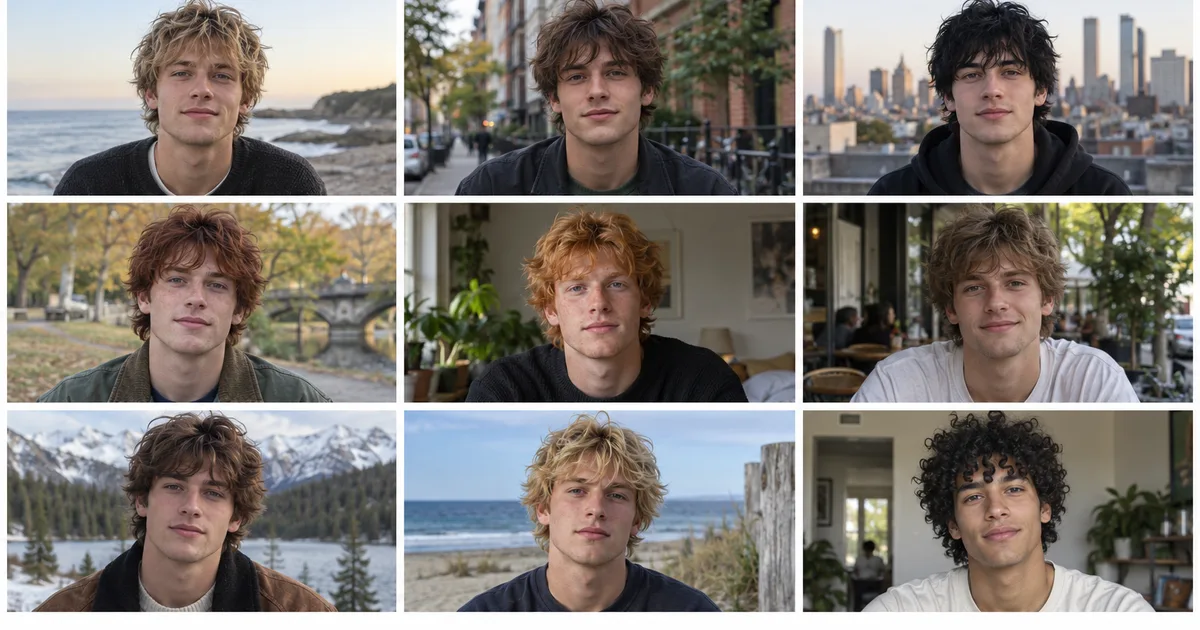
Shaggy Haircut for Men: 14 Looks and How to Ask for One
A men's shag is choppy layers, a broken fringe and no clippers. See it on 14 men, find the version that suits your hair type and face shape, and get the exact words for your barber.
Men's Haircuts · 15 min
Men's Hair Cuts: 14 Styles and the Numbers to Ask For
Every men's haircut name is shorthand for three numbers: the guard on the sides, where the short part stops, and inches on top. The 14 cuts men ask for, the guard numbers decoded, and which cut suits your face and hair.
Men's Haircuts · 16 min
Buzz Cut Fade: 14 Fade Types and How to Pick Yours
With a quarter inch on top, the fade is the whole haircut. Fourteen buzz cut fades compared, which one suits your face shape, the 3-2-1 rule, and the exact words for your barber.
Men's Haircuts · 14 min
Benny Blanco Haircut: The Fake Half Shave and the Real Curls
Benny Blanco did not shave half his head. It was a prosthetic bald cap, and the buzz cuts are AI. Here is what his curly mop actually is, the short version, and exactly what to tell your barber.