Best AI Hairstyle Apps in 2026: 9 Try-On Apps Ranked
Oleh Onysko 27 September 2026 15 min read
In this article
The best AI hairstyle app is the one that changes your hair and leaves your face alone. For deciding on a real haircut, pick a tool that edits a photo of you; for playing with color on a Friday night, a free live lens is enough.
We ranked nine apps people actually use to try on hairstyles: HairstyleAtlas, YouCam Makeup, FaceApp, Fotor, Hairstyle AI, Adobe Firefly, Snapchat Lenses, Perfect Hairstyle and HairLook. Every platform and price below comes from the vendor's own website or app store listing. Where a vendor does not publish a price, we say so instead of guessing.
One thing up front: HairstyleAtlas is our product, and it is ranked first. The rest of the list is written so you can pick something else if it suits you better, and each competitor links to a side-by-side comparison with the numbers.
The best AI hairstyle apps at a glance
| Rank | App | Platforms | How it works | Free option | Best for |
|---|---|---|---|---|---|
| 1 | HairstyleAtlas | Web (phone or desktop browser) | Edits one selfie with a chosen cut or color | First look free, no card | Deciding on a haircut before you book |
| 2 | YouCam Makeup | iOS, Android, web | Preset hairstyles and color on a photo | Free and paid content | The biggest preset catalog |
| 3 | FaceApp | iOS, Android | Hair filters and style transfer on a photo | Free filters, Pro subscription | Copying a cut from a reference photo |
| 4 | Fotor | Web, plus mobile and desktop apps | Templates or a text prompt on a photo | Limited free credits | Quick one-off edits |
| 5 | Hairstyle AI | Web | Trains on several selfies, returns a batch | No free tier stated | A big batch of photos to scroll |
| 6 | Adobe Firefly | Web | You describe the style in a prompt | Free daily generations | Custom looks you can describe well |
| 7 | Snapchat Lenses | Snapchat app | Live AR camera | Free | Hair color for fun |
| 8 | Perfect Hairstyle | iOS | Hairstyle overlays on a photo | 50+ free styles | Free, low-stakes browsing |
| 9 | HairLook | iOS | Your selfie plus a gallery or inspiration photo | Subscription required | Transferring a saved inspiration pic |
How we judged them
Four questions decide whether a hairstyle app is useful or just a toy.
- Does your face survive? Many generators quietly slim your jaw, smooth your skin or change your eyes. If the face changes, you are judging a stranger's haircut.
- Does it start from your hair? A try-on that ignores your texture and density shows a cut your hair cannot hold.
- Can you take the result to the chair? A barber needs a clear front view, ideally more than one angle, not a filtered selfie with a sparkle overlay.
- What does it cost to find out? A free first result matters more than a long list of paid features.
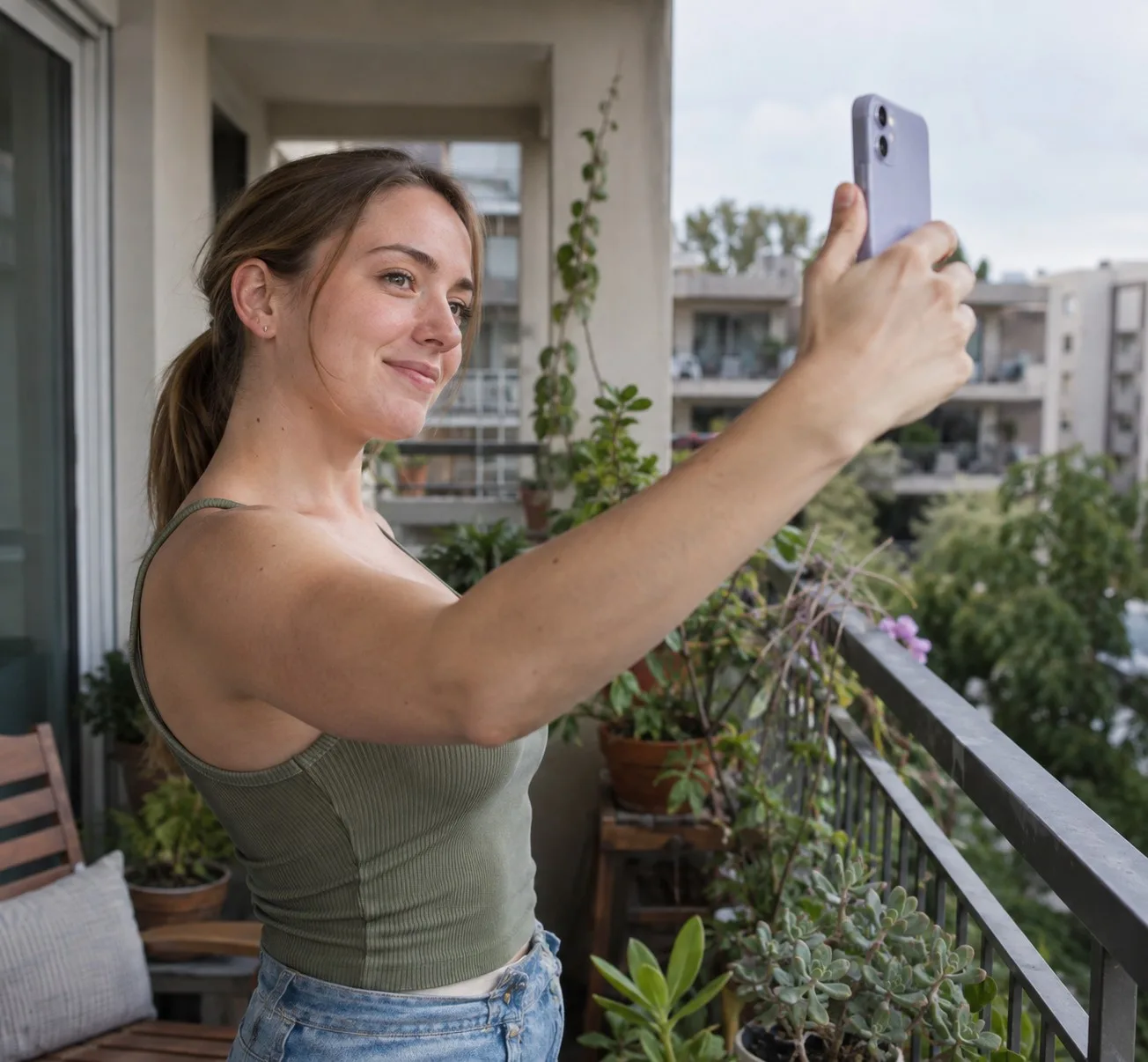
The photo you upload matters more than the app you pick. Face the light, pull your hair off your face so the hairline shows, and hold the phone at eye level. Every app on this list produces worse results from a dim, tilted selfie with hair across the forehead.
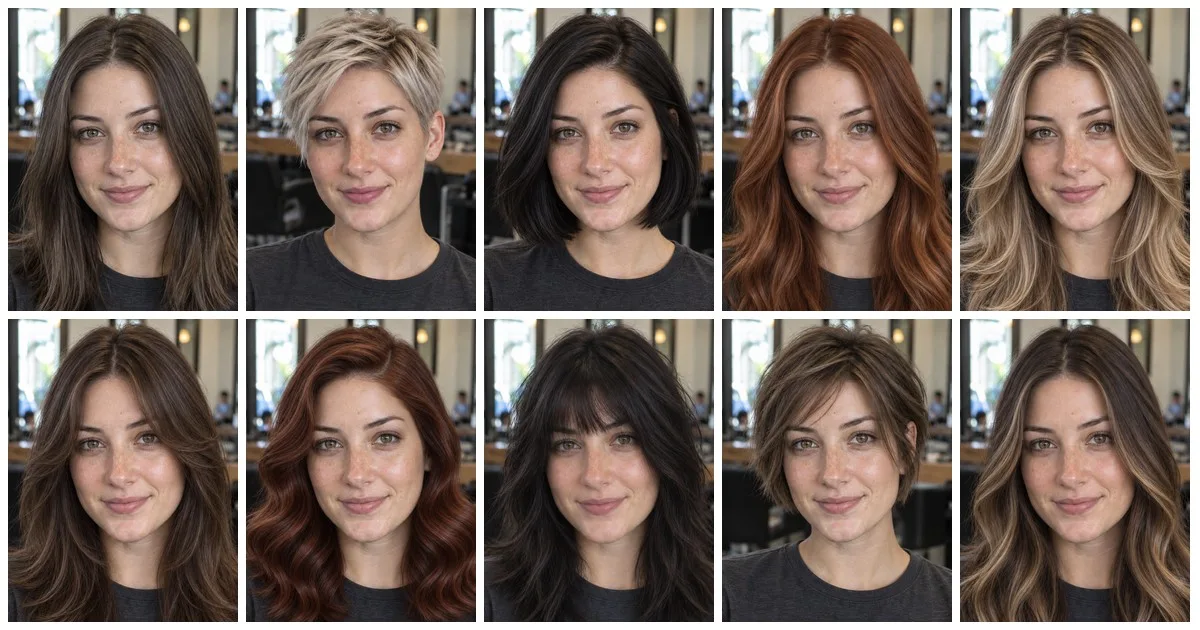
One selfie, 13 AI hairstyles
To show what a good try-on looks like, we took one selfie of the same woman in a salon chair and changed only her hair. Her face, freckles, shirt and background stay put in every frame. That consistency is the test to apply to any app you try.
Gallery14 photos · tap to enlarge
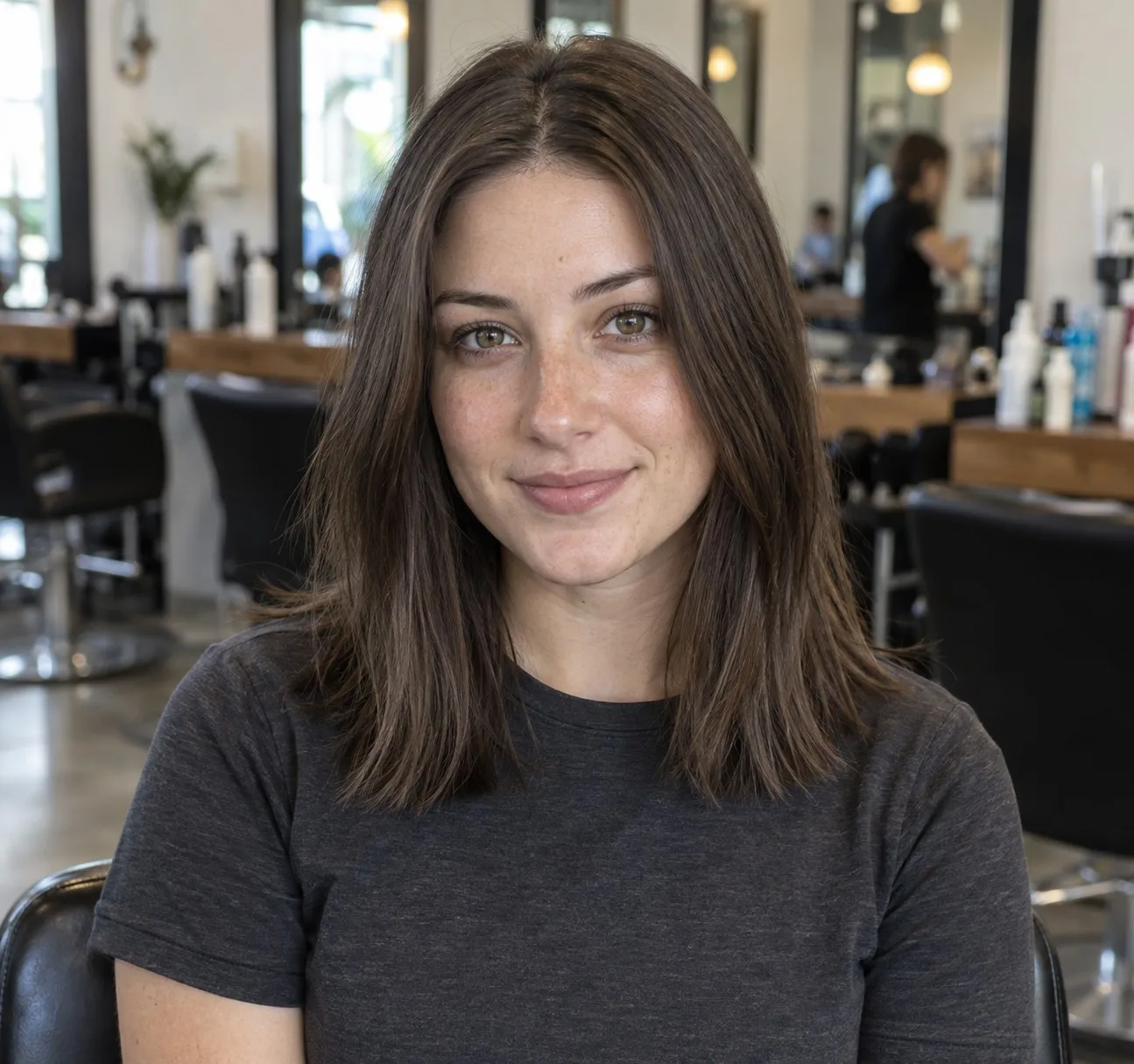
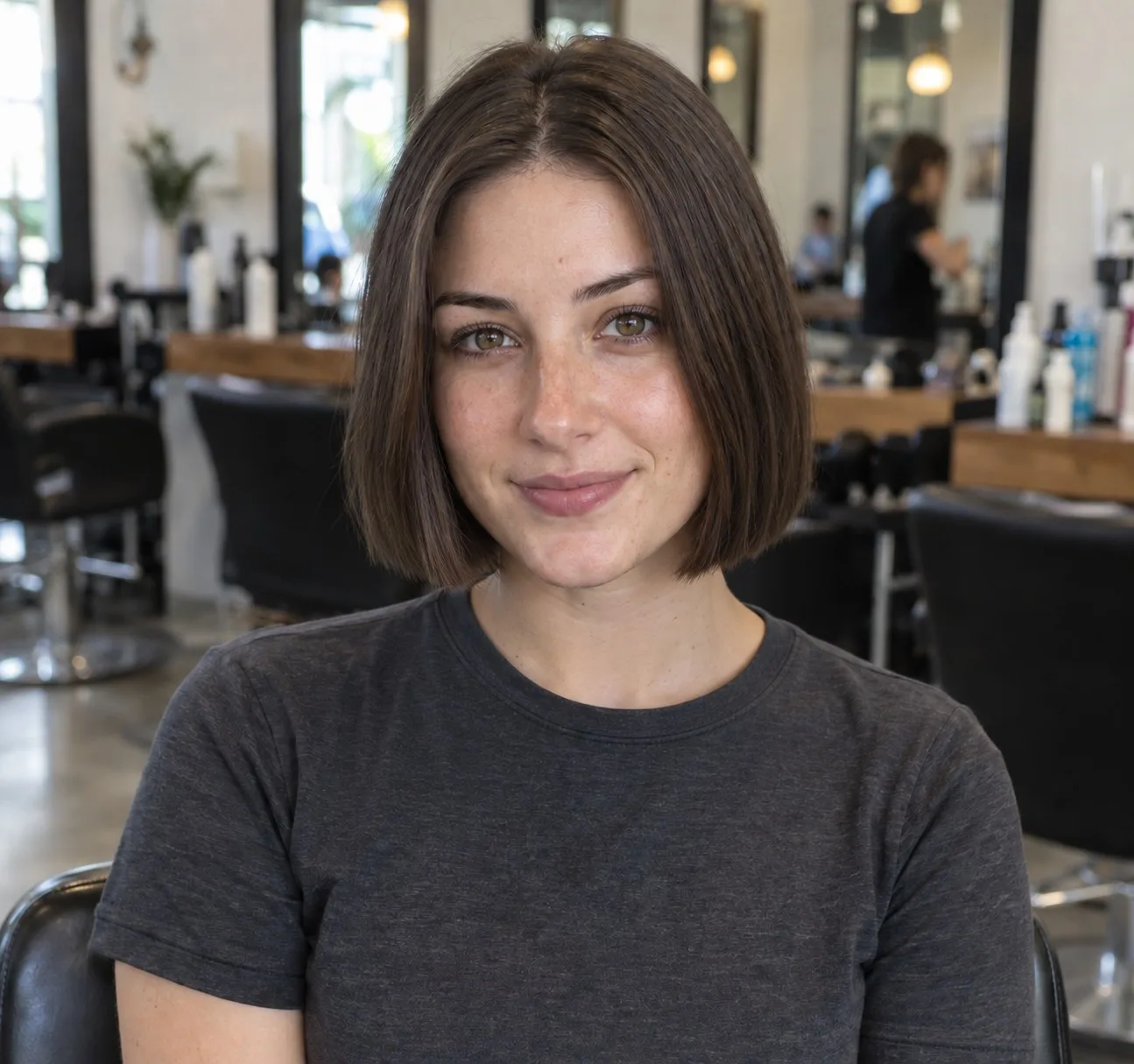
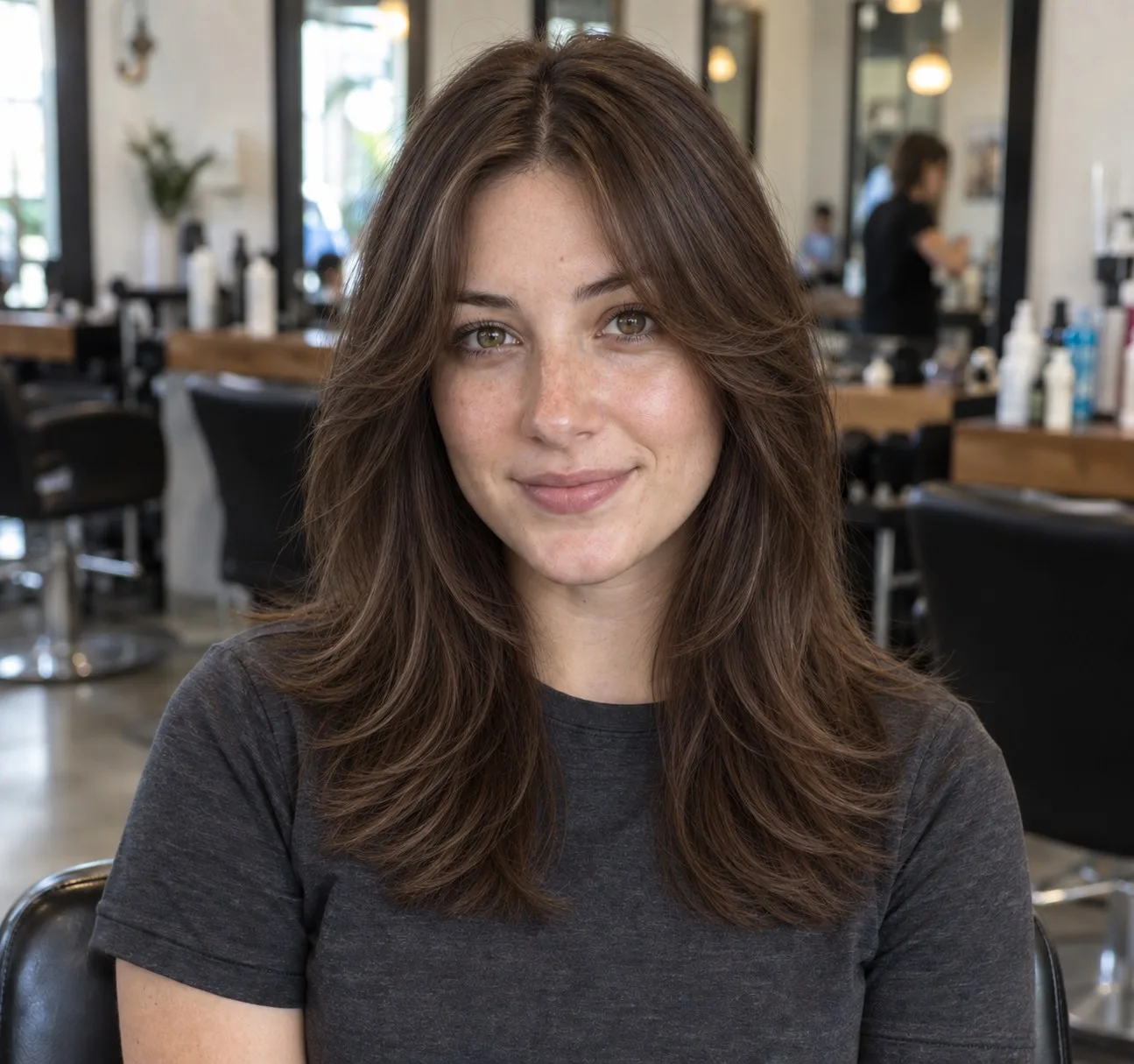
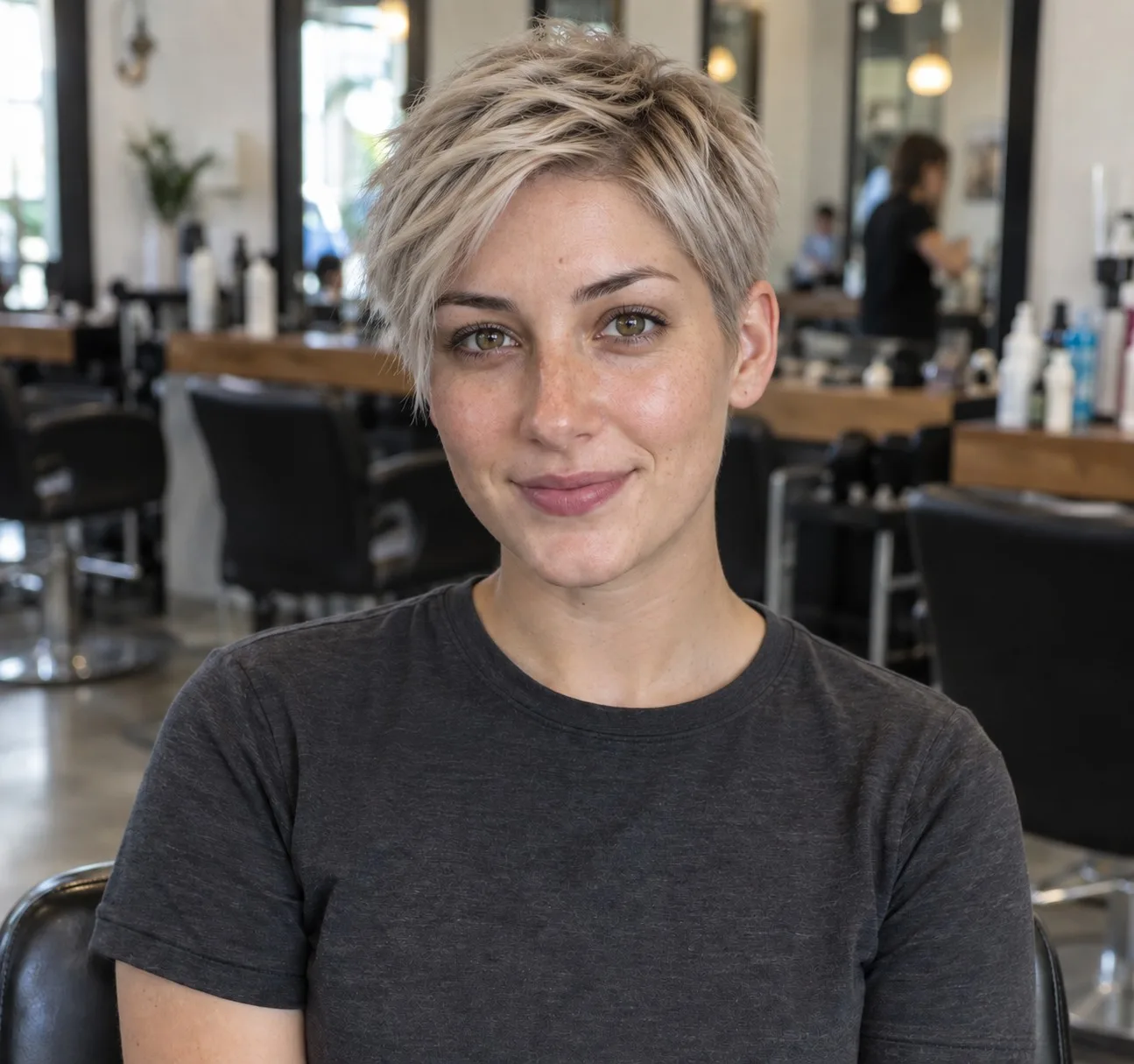
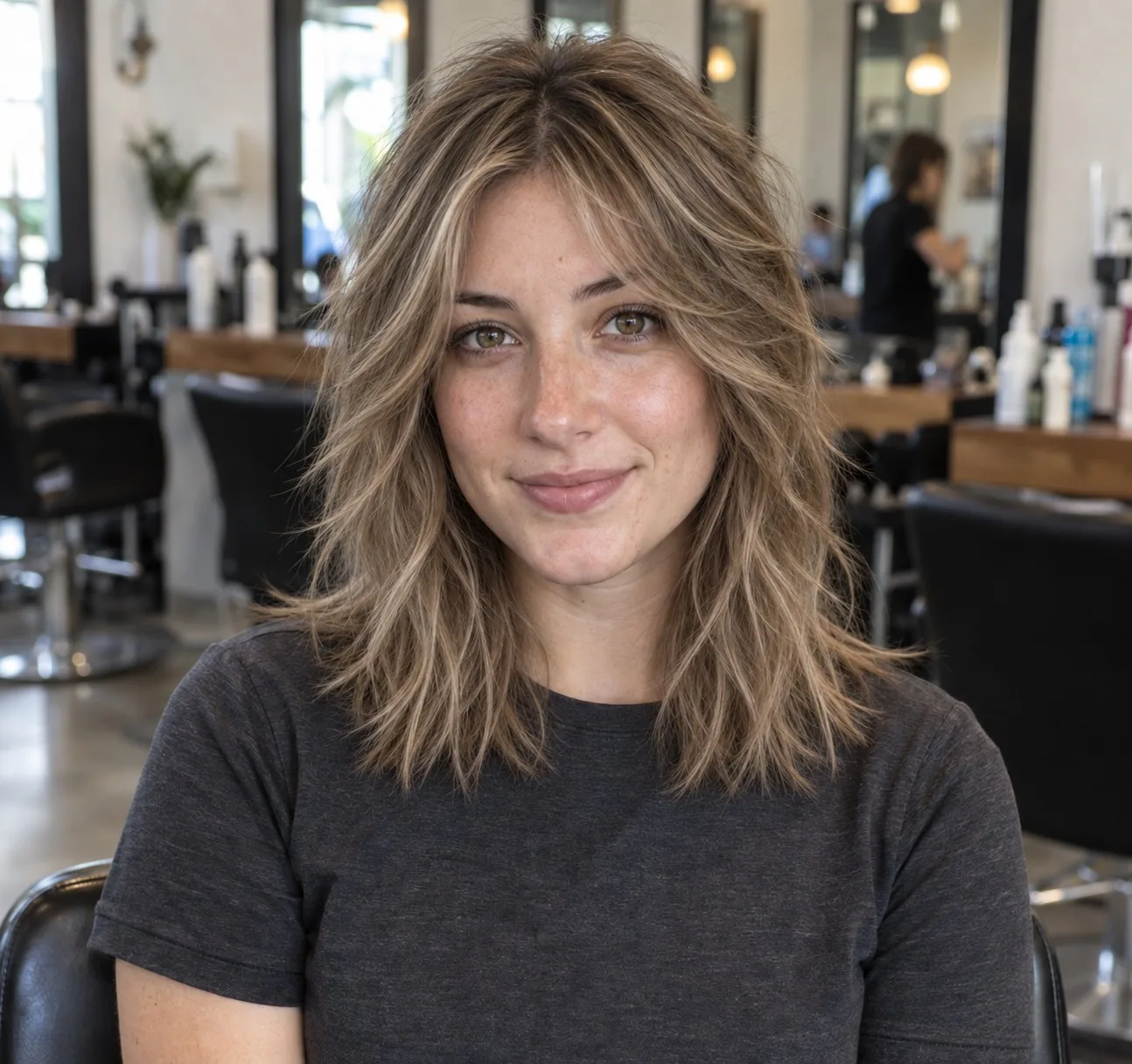
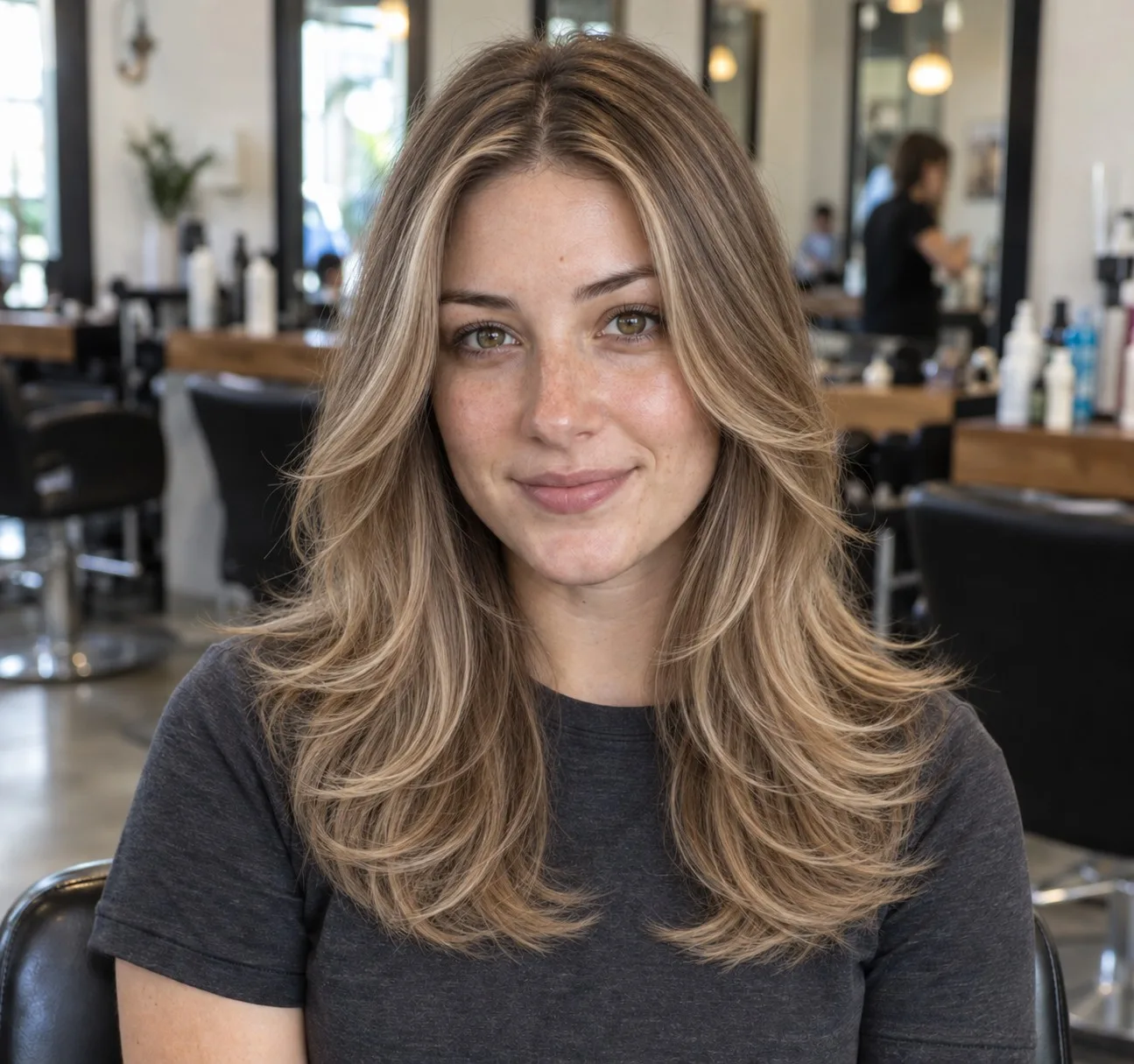
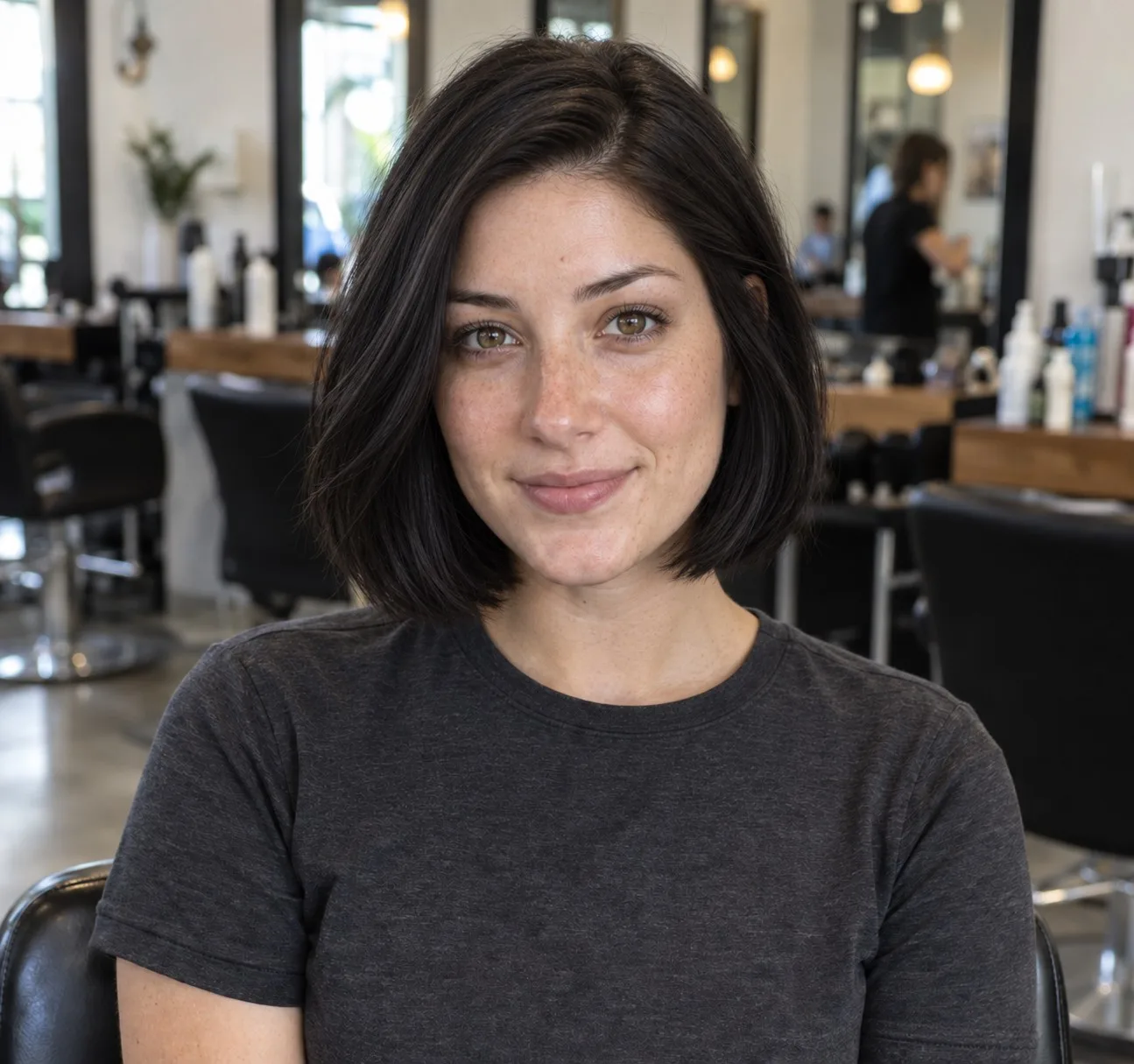
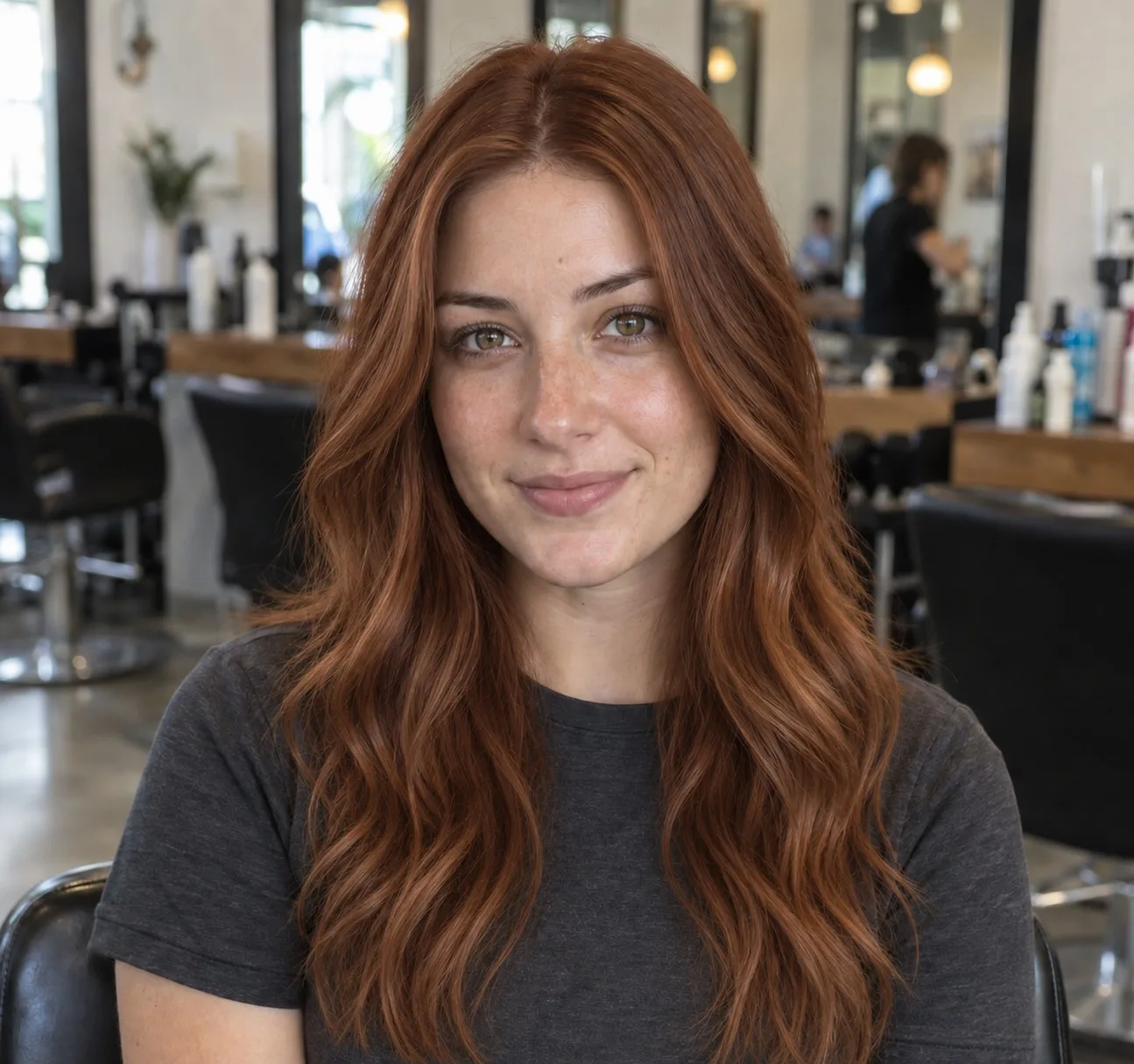
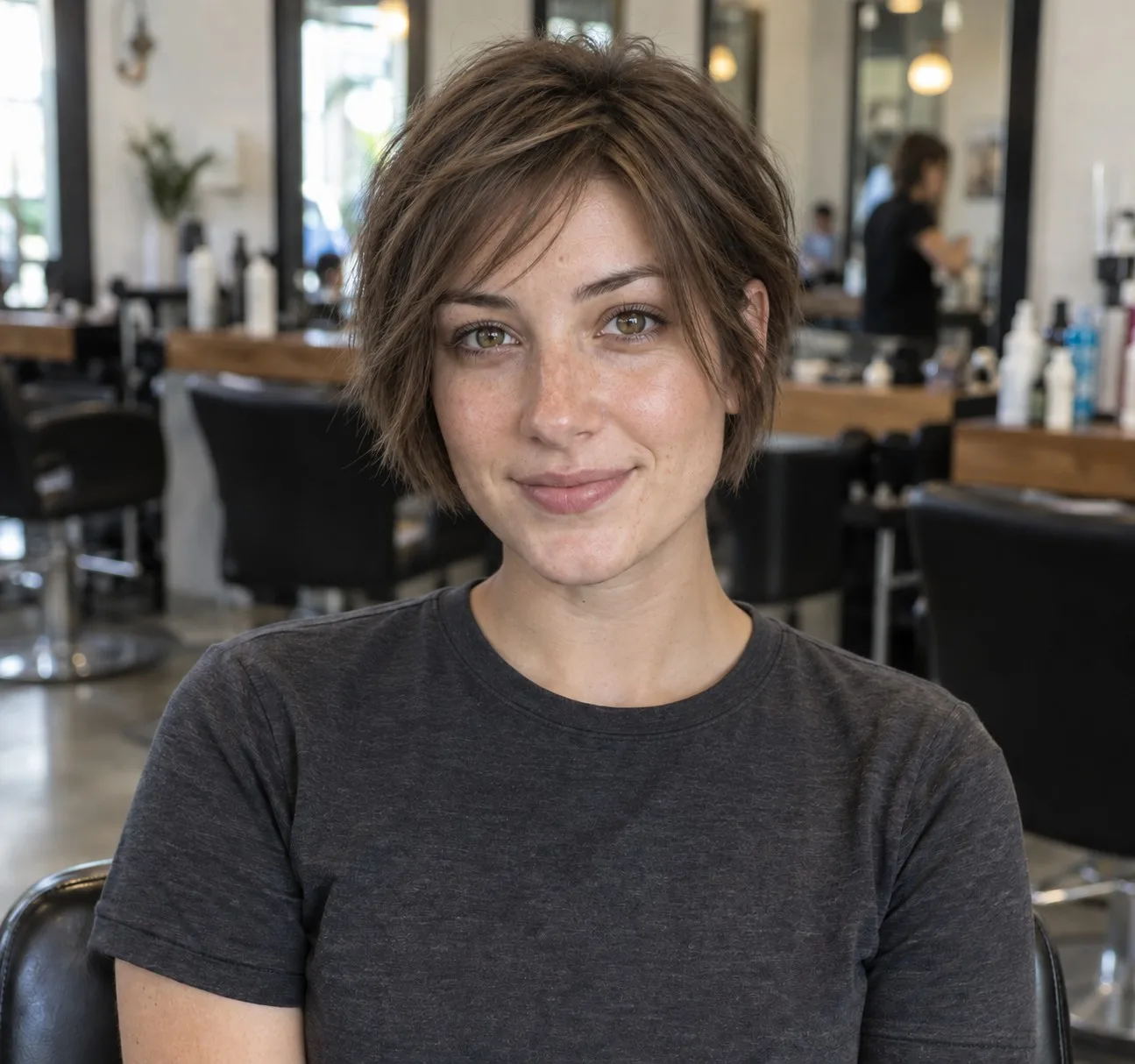
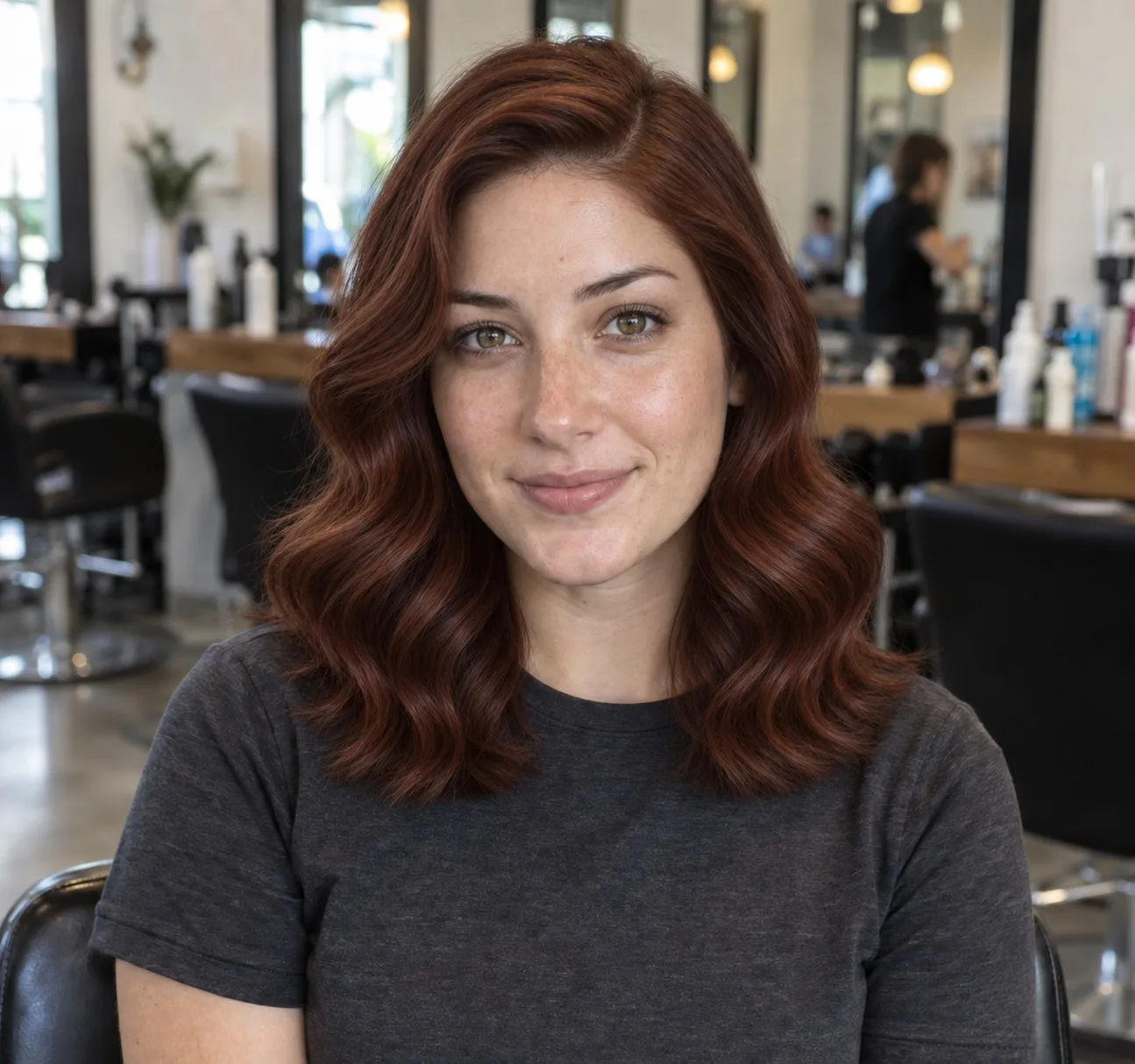
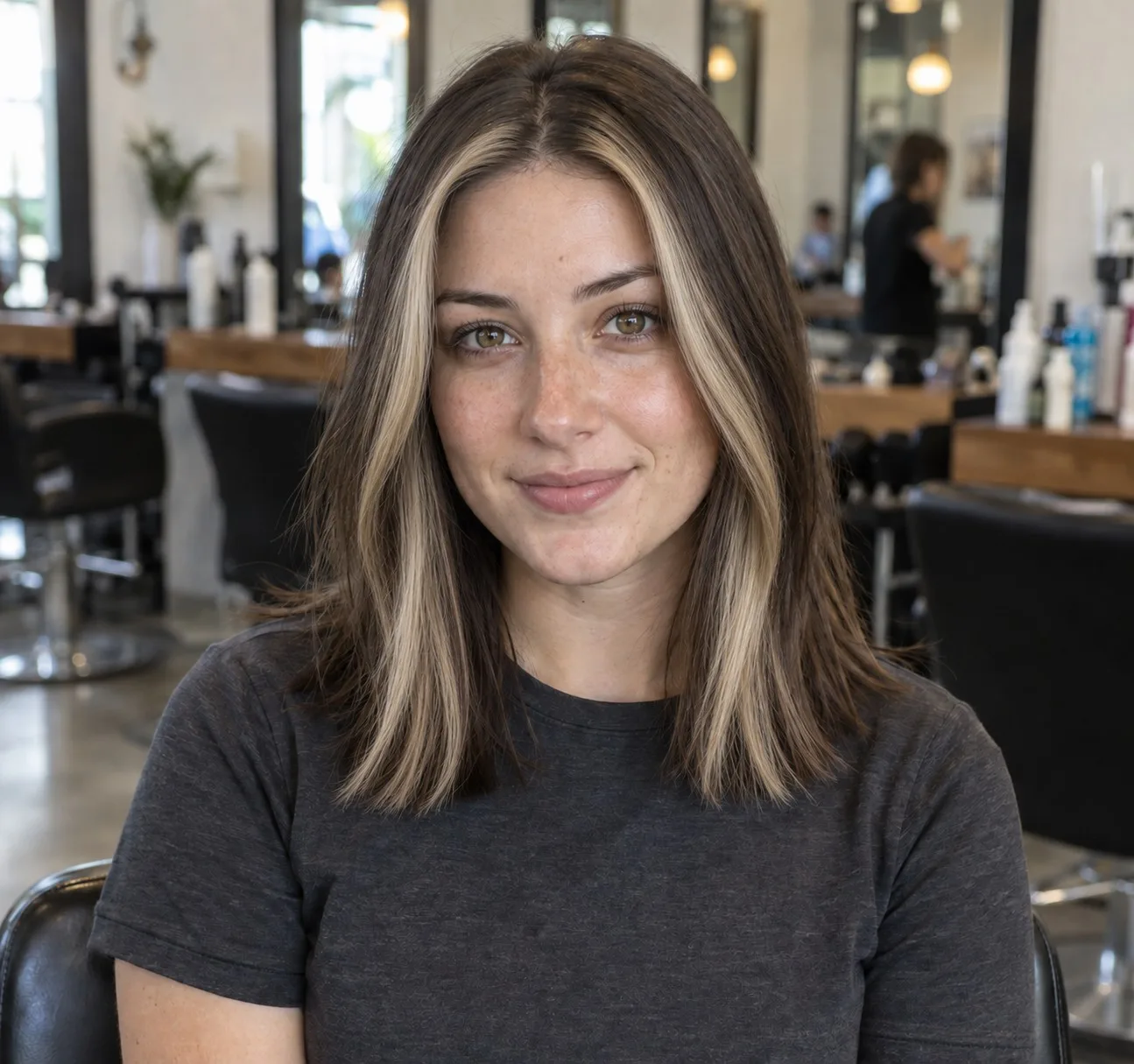
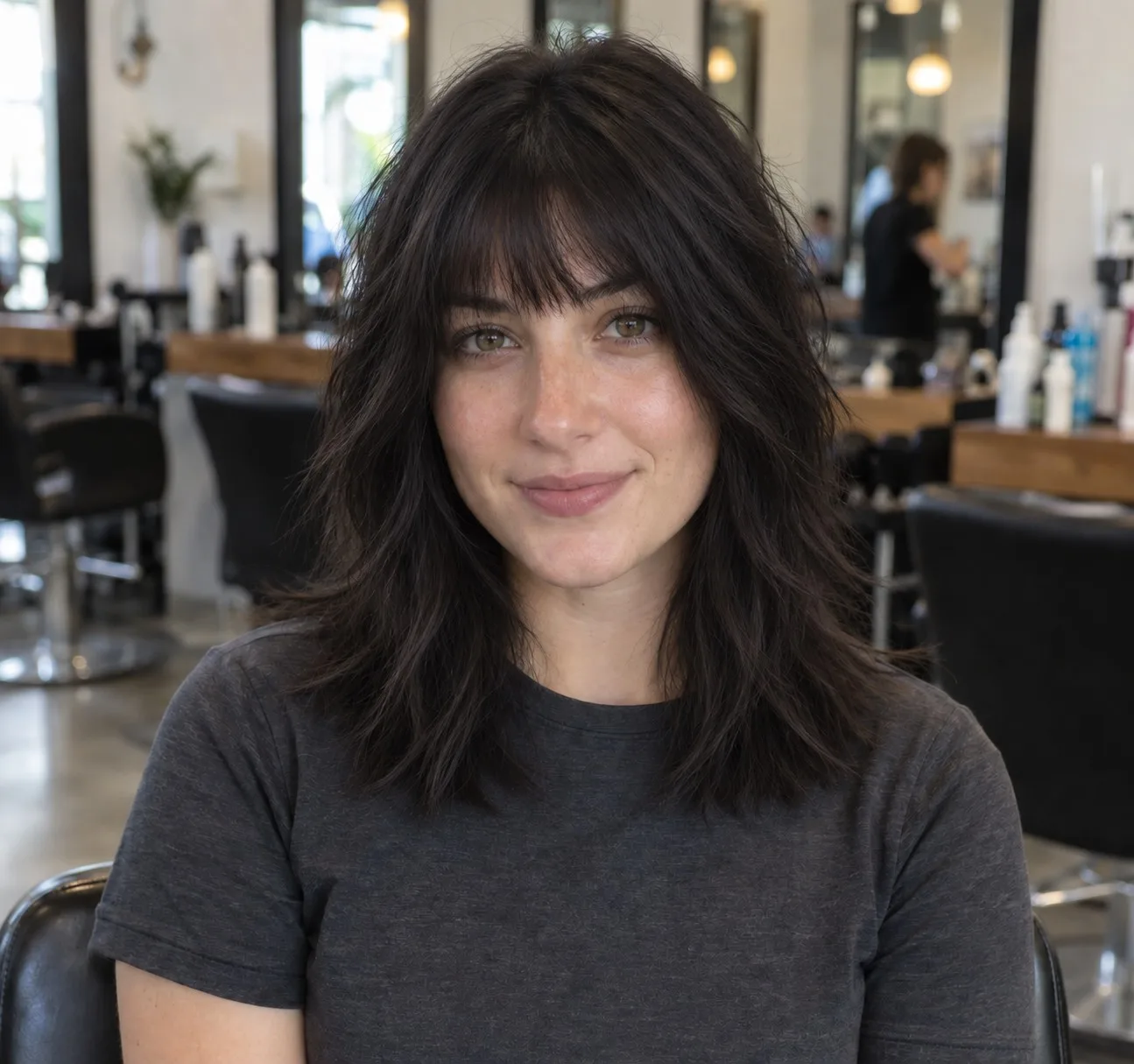
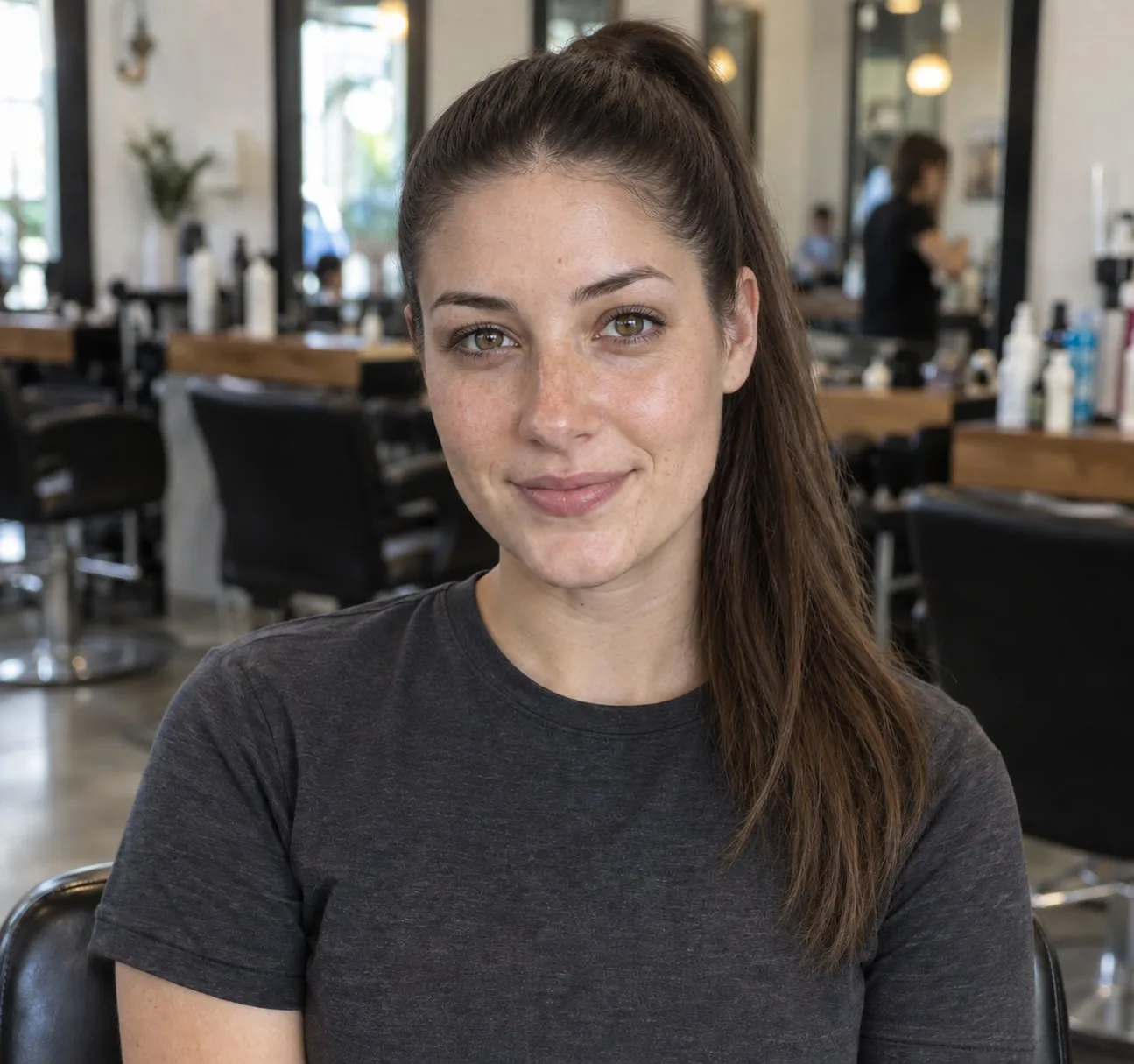
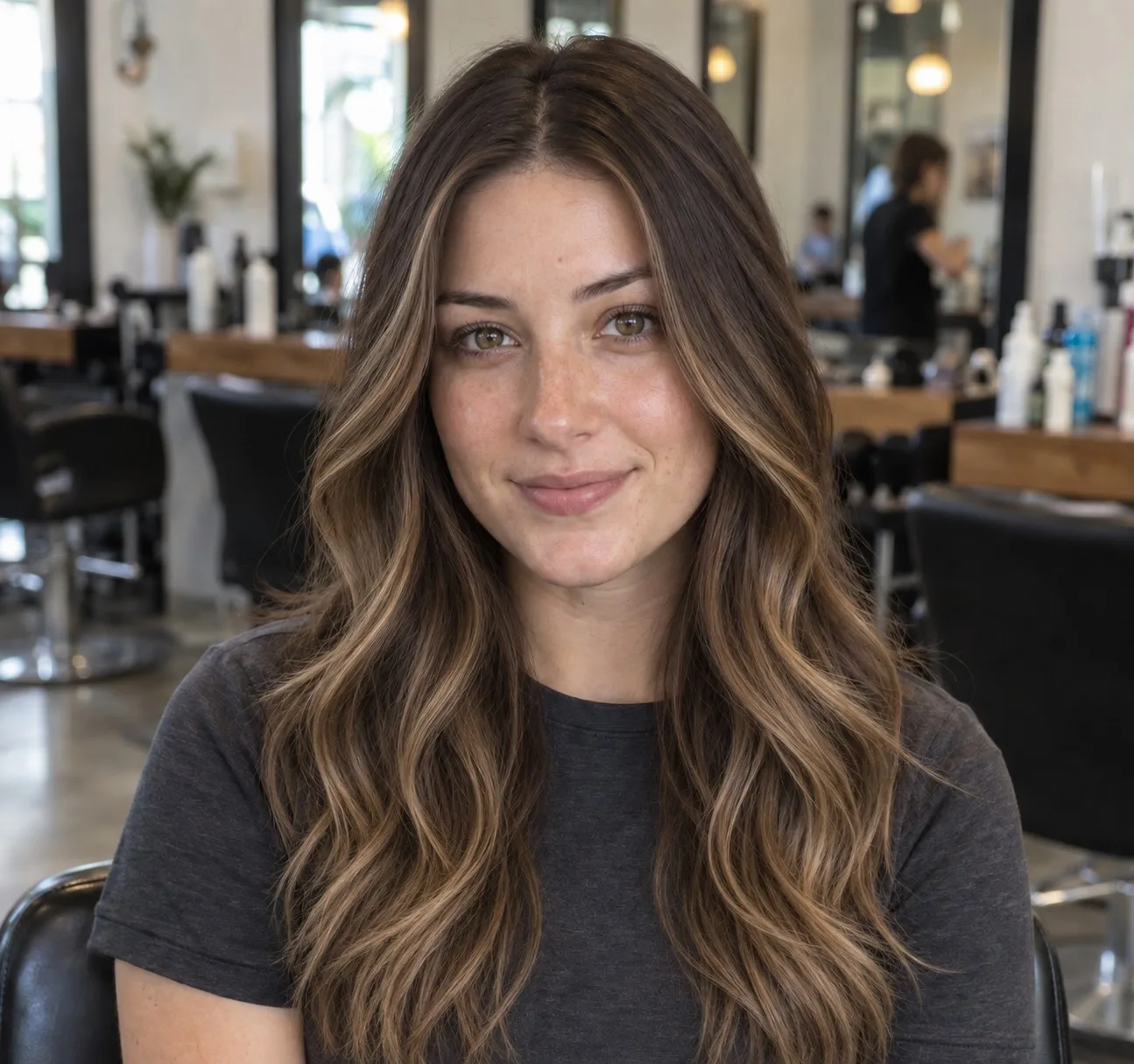
Notice what changes between frames: length, color, bangs and part. Notice what does not: the jaw, the eyes, the skin. If an app changes those, stop trusting its haircut.
Yours could be here.
Start with one selfie.
One photo, twenty seconds, and you'll know. Free account, no card for your first render.
1. HairstyleAtlas
HairstyleAtlas is built for one job: showing you a specific haircut or color on your own photo before you book. You upload one selfie, pick a cut from a catalog of 120+ cuts and colors, and get an edited photo of you rather than a filter.
- Platforms: runs in the browser on phone or desktop, nothing to install.
- Price: the first look is free with no card (one hairstyle plus one color on it). Plus is $9 a month or $60 a year for 150 credits; Pro is $24 a month or $160 a year for 480 credits and adds front, three-quarter, side and back angles. A cut costs 10 credits and a color on that cut costs 5. Full details on the pricing page.
- Strength: keeps your face and works from your hair, and Plus includes a before and after sheet to show your barber.
- Weakness: no live camera mode, and downloads on the free look carry a watermark. If you only want to play with hair color for a minute, a free lens is quicker.
If you do not know where to start, the haircut suggestion quiz narrows the catalog by face shape before you spend anything.
2. YouCam Makeup
YouCam Makeup from Perfect Corp is a beauty app first, with a large hair section inside it. The app lists 250+ preset hairstyles, a hair color changer, and a custom try-on from a reference photo. There is also a web version of its AI hairstyle generator.
- Platforms: iOS, Android and web.
- Price: free to download with free and paid content; premium unlocks the full hairstyle and color collections. The web tool gives two full previews free after a quick sign-up. YouCam does not publish subscription prices on its site.
- Strength: the widest preset catalog on this list, covering men's and women's cuts.
- Weakness: the Google Play listing notes the app contains ads, and the unlimited style changes sit behind premium.
See the HairstyleAtlas vs YouCam Makeup comparison for a side-by-side.
3. FaceApp
FaceApp edits a photo with filters. Its hair set includes long hair, bob, bangs, dye and volume, and a Transfer feature that copies a hairstyle from any reference photo onto yours. That last one is useful when you have a screenshot of the exact cut you want.
- Platforms: iOS and Android.
- Price: free to download with many free filters. FaceApp Pro, a monthly or annual subscription, unlocks all filters and removes watermarks. Prices are shown only inside the app.
- Strength: reference-photo transfer, which is rare among free-to-start apps.
- Weakness: the full filter set and clean exports need Pro, and FaceApp's own FAQ says features may be changed or removed.
Read how FaceApp compares with HairstyleAtlas before you pay for either.
4. Fotor
Fotor is a general photo editor with an AI hairstyle changer as one of its many tools. You upload a photo, pick a template or describe a style, and it generates the result. Fotor says photos are deleted from its servers within an hour.
- Platforms: web, with iOS, Android, Windows and Mac apps.
- Price: a free Basic plan with limited credits, then Pro, Pro+ and Max credit plans.
- Strength: fast, and you already have it if you use Fotor for other edits.
- Weakness: the hairstyle tool is one feature among dozens, and free credits run out fast when you are comparing several cuts.
The Fotor comparison goes through the differences in detail.
5. Hairstyle AI
Hairstyle AI (hairstyleai.com, powered by HeadshotPro) works differently from everything else here. You upload several selfies, it trains a model on your face, and you get a batch of photos back instead of choosing one cut at a time.
- Platforms: web.
- Price: $9 one-time for 30 hairstyles, 4 poses and 120 HD photos, according to its homepage. No free tier is stated.
- Strength: a lot of variety for a single payment, with no subscription.
- Weakness: you need several photos and roughly an hour's wait, and you cannot ask for one specific cut you already have in mind.
There is a full Hairstyle AI vs HairstyleAtlas breakdown if you are choosing between batch and pick-one.
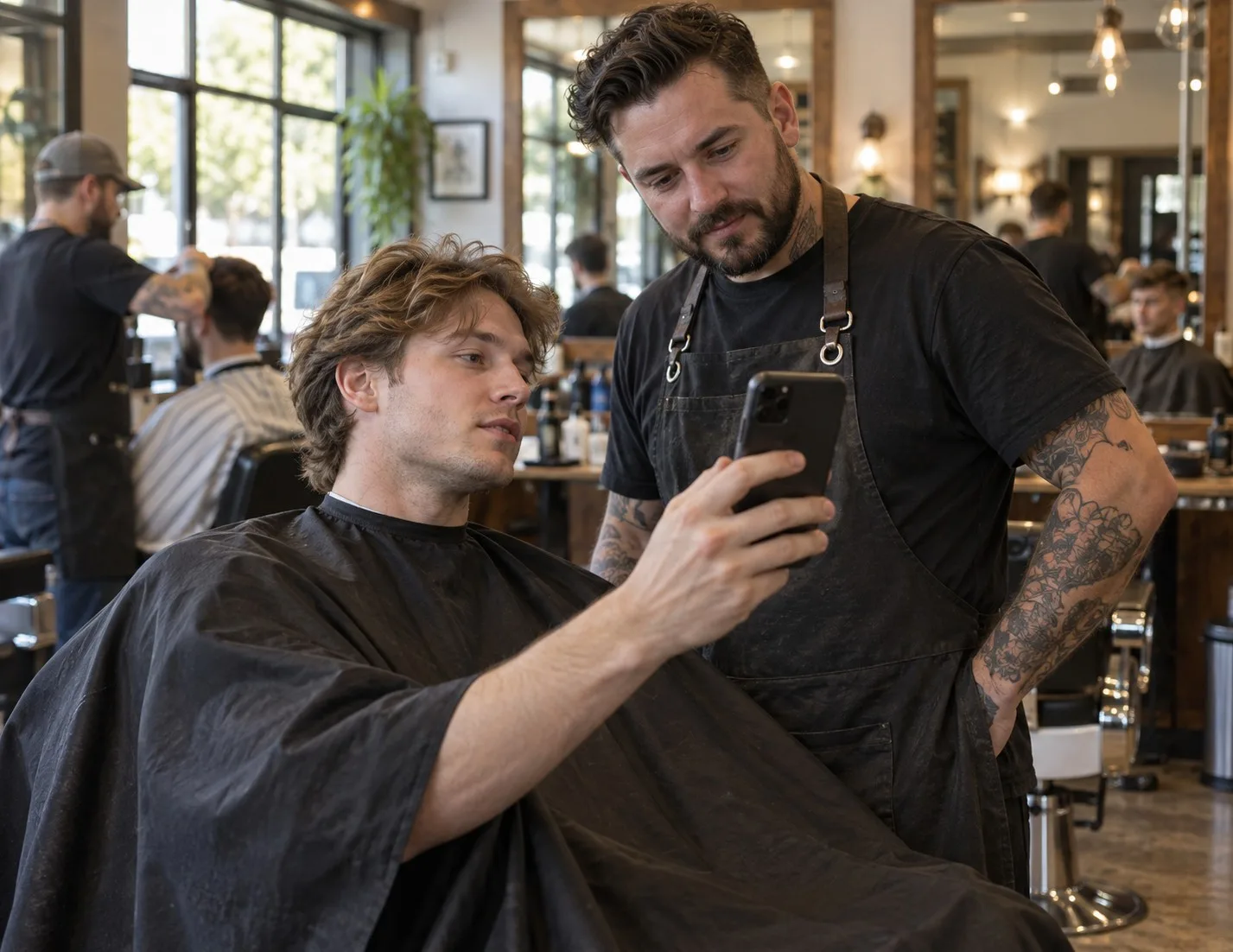
Batch tools are good for discovery. The moment you have a favorite, switch to a tool that shows that one cut clearly, because a barber works from one picture, not a scroll of 120.
6. Adobe Firefly
Adobe Firefly has a free hairstyle page where you upload a photo and describe the style or shade you want in words. There is no preset catalog: the result is only as good as your prompt.
- Platforms: web.
- Price: no subscription needed to start; a free Adobe account gets free daily generations. You must be 18 or older.
- Strength: flexible for looks no catalog covers, from Adobe's image model.
- Weakness: you have to know the vocabulary. "Shorter with layers" gets you a guess; "chin-length blunt bob, no bangs" gets you a haircut.
7. Snapchat Lenses
Snapchat's lenses run on the live camera, which makes them the fastest way to see a new hair color move with your head. Snap's own Lens Studio hair color template recolors the roots, ends or full head.
- Platforms: the Snapchat app on iOS and Android.
- Price: free.
- Strength: instant, live and fun to share.
- Weakness: the official template changes color only. Haircut lenses exist only when a creator has built one, and quality varies a lot.

The Snapchat Lenses comparison covers when a lens is enough and when it is not.
8. Perfect Hairstyle and Hair Cut
Perfect Hairstyle is an older iOS app that places hairstyle overlays and colors on a photo. It includes more than fifty hairstyles for free, with paid packs adding 450+ more; men's styles and Black hairstyles are in the paid packs.
- Platforms: iOS.
- Price: free, with in-app purchase packs.
- Strength: free and simple, a low-stakes way to browse shapes.
- Weakness: overlays sit on top of your hair rather than replacing it, so the result looks pasted on.
9. HairLook
HairLook is a newer iOS app. You upload a selfie, then pick a style from its gallery or upload any inspiration photo and it transfers that style to you. It also offers color, bangs, makeup and glasses.
- Platforms: iOS.
- Price: a subscription is required for hairstyle transfers; the price is shown in the app.
- Strength: transfer from any picture you have saved.
- Weakness: the core feature is locked behind the subscription from the start.
Live lens or edited photo: which do you need?
Use a live lens to explore color, use an edited photo to decide on a cut. A lens tracks your head in real time, which is great for seeing how a shade moves, but it lays new color over the hair you already have. It cannot remove six inches or add bangs convincingly.
An edited photo can. Generative try-ons rebuild the hair around your face, so a pixie actually looks short and a bob actually ends at the jaw. That is the difference between "fun to look at" and "safe to book".
| What you want to know | Best tool type | Apps on this list |
|---|---|---|
| Does this color suit me? | Live lens or photo color | Snapchat, YouCam Makeup, HairstyleAtlas |
| Will a shorter cut work on my face? | Edited photo | HairstyleAtlas, FaceApp, Fotor |
| Can I copy a cut from a screenshot? | Reference transfer | FaceApp, HairLook, YouCam Makeup |
| I have no idea, show me lots | Batch or big catalog | Hairstyle AI, YouCam Makeup |
| A one-off look nobody sells | Text prompt | Adobe Firefly |
Is there a free AI hairstyle app?
Yes, but free means different things. Snapchat's lenses are fully free and color-only. Perfect Hairstyle has 50+ free styles as overlays. Adobe Firefly gives free daily generations with an account. HairstyleAtlas gives one free look on your photo with no card. FaceApp, YouCam Makeup and Fotor have free tiers with the fuller features paid.
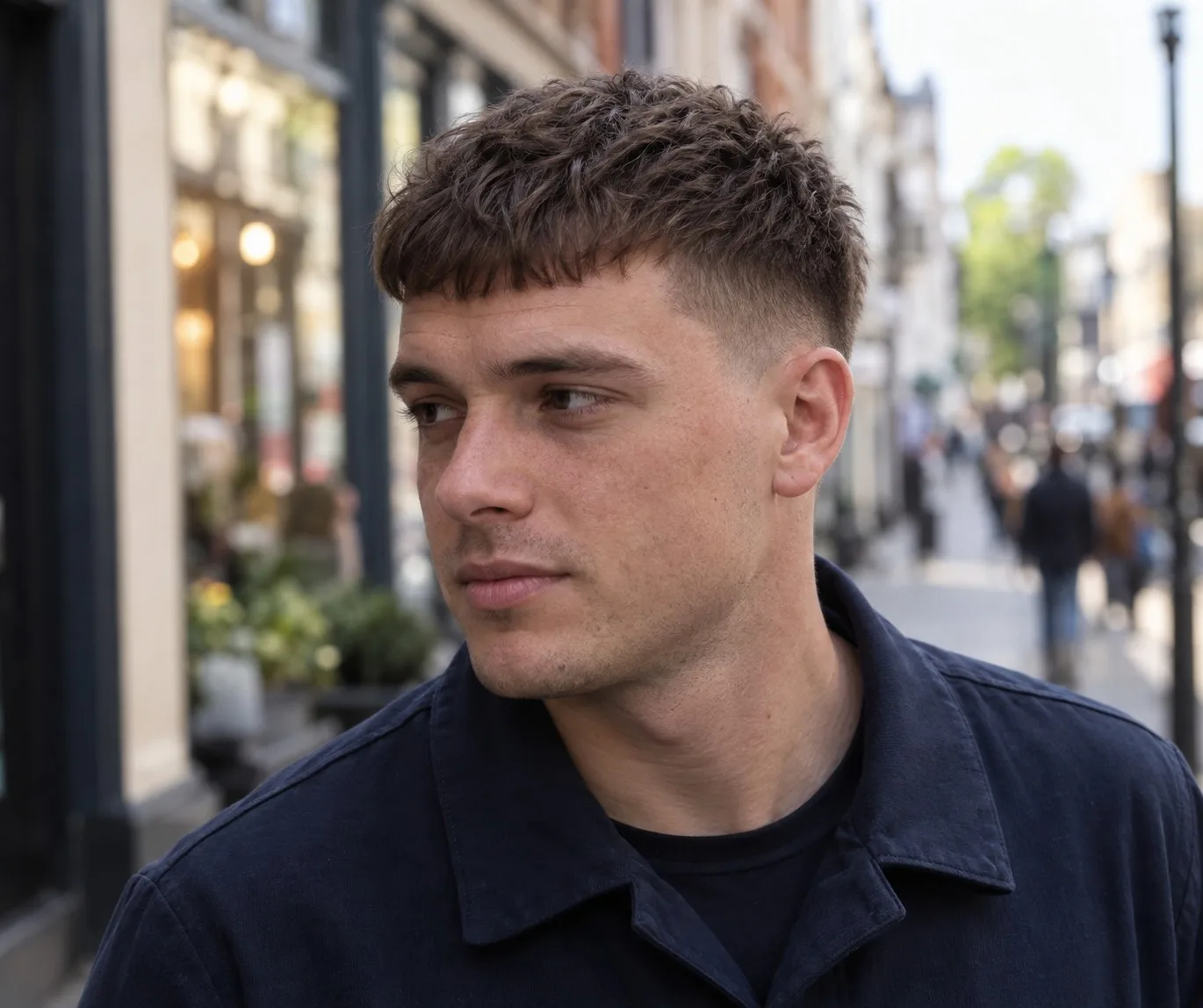
If you just want one honest answer to "does this cut suit me", a single free, face-preserving result beats a hundred free filters.
Five mistakes that waste a try-on
- Uploading a bad selfie. Dim light, a tilted head or hair over the forehead makes every app guess, and the guess shows.
- Trusting a result that changed your face. A slimmer jaw or bigger eyes makes any cut look good. You will not have that face in the barber chair.
- Ignoring your texture. A sleek bob rendered on fine straight hair tells you little if your hair is thick and wavy. Check the result against your real density.
- Picking from color when you need a cut. A lens that nails the color still has not shown you the length.
- Walking in with the filter, not the words. Save the picture, and learn the name of the cut. "Chin-length blunt bob, no layers" gets a better result than "like this but different".

How to take your result to the barber or stylist
Save a clear front view at full resolution, and a side or back view if the app offers one. Show it at the start of the appointment, before the cape goes on, and say the cut's name out loud. If the stylist says your hair will not hold it, believe them and ask what the closest version is. Browsing our looks people tried is a good way to learn the names before you go, and the AI hairstyle changer lets you test the closest version on your photo.
The short version
For a haircut decision, use a tool that edits your photo and keeps your face: that is what HairstyleAtlas is built for, and YouCam Makeup and FaceApp are solid alternatives with bigger free filter sets. For color play, Snapchat is free and instant. For a batch of ideas, Hairstyle AI's one-time price is fair. Whatever you pick, judge it by one test: is that still you in the picture? For the full table of every app we compared, see all HairstyleAtlas comparisons.
Frequently asked questions
For choosing a real haircut, the best AI hairstyle app is one that edits a photo of you and leaves your face unchanged, such as HairstyleAtlas. YouCam Makeup has the largest preset catalog, and FaceApp is best for copying a cut from a reference photo.
It depends on what you want to see. Adobe Firefly gives free daily generations from a text prompt, Snapchat's lenses are free for hair color, and HairstyleAtlas gives one free look on your own photo with no card needed.
Most have a free tier and a paid tier. FaceApp, YouCam Makeup and Fotor are free to start with fuller features paid; HairLook requires a subscription for hairstyle transfers; Hairstyle AI is a $9 one-time payment.
AI can narrow the options by face shape and hair type, but the final call is yours and your stylist's. The most useful thing AI does is show you a cut on your own face, so you can reject the bad ideas before anyone picks up scissors. Our face shape guide explains which cuts usually suit which shapes.
Yes, in words. Describe your face shape, hair type and how much styling time you have, and it can suggest cuts to ask for. To see those cuts on your own face, you still need a try-on tool that edits your photo.
Take a well-lit selfie with your hair pulled back, then run it through a free try-on such as HairstyleAtlas's first look, YouCam Makeup's web previews or Adobe Firefly. Compare the results side by side and discard any where your face looks different.
Perfect Hairstyle offers more than fifty free styles on iPhone, and FaceApp and YouCam Makeup both have free tiers on iOS. HairstyleAtlas runs in Safari with nothing to install, and its first look is free.
Snapchat is the best-known live camera option, with free hair color lenses. For haircuts rather than color, a photo-based try-on gives a more realistic result than a live lens.
Share article
About the author
More articles
Men's Haircuts · 14 min
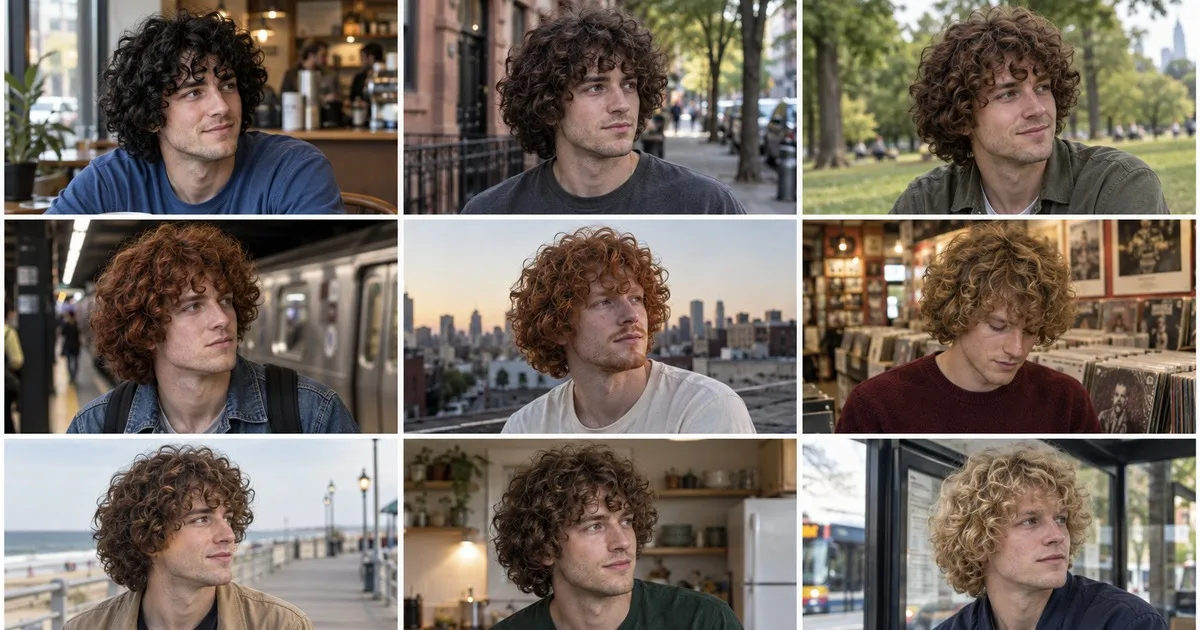
Benny Blanco Haircut: The Fake Half Shave and the Real Curls
Benny Blanco did not shave half his head. It was a prosthetic bald cap, and the buzz cuts are AI. Here is what his curly mop actually is, the short version, and exactly what to tell your barber.
Trends and Celebrity · 15 min
70s Hairstyles: 10 Iconic Looks and How to Get Them Now
The defining 70s hairstyles, from the Farrah flip and the shag to the afro and the wedge, which one suits your hair type, and the one tool that turns every 70s cut into a modern look.
Men's Haircuts · 13 min
Trevor Lawrence Haircut: The Wig, the Flow, How to Copy It
Trevor Lawrence did not cut his hair. The short cut in the Jaguars' 2026 schedule video was a wig. Here is what his long flow actually is, how long it takes to grow and what to tell your barber.